Currently, you can create NSE UCC profiles on Investwell for two tax statuses: Individual and On Behalf of Minor.
Steps to create a new profile:
The basic steps are the same for both tax statuses:
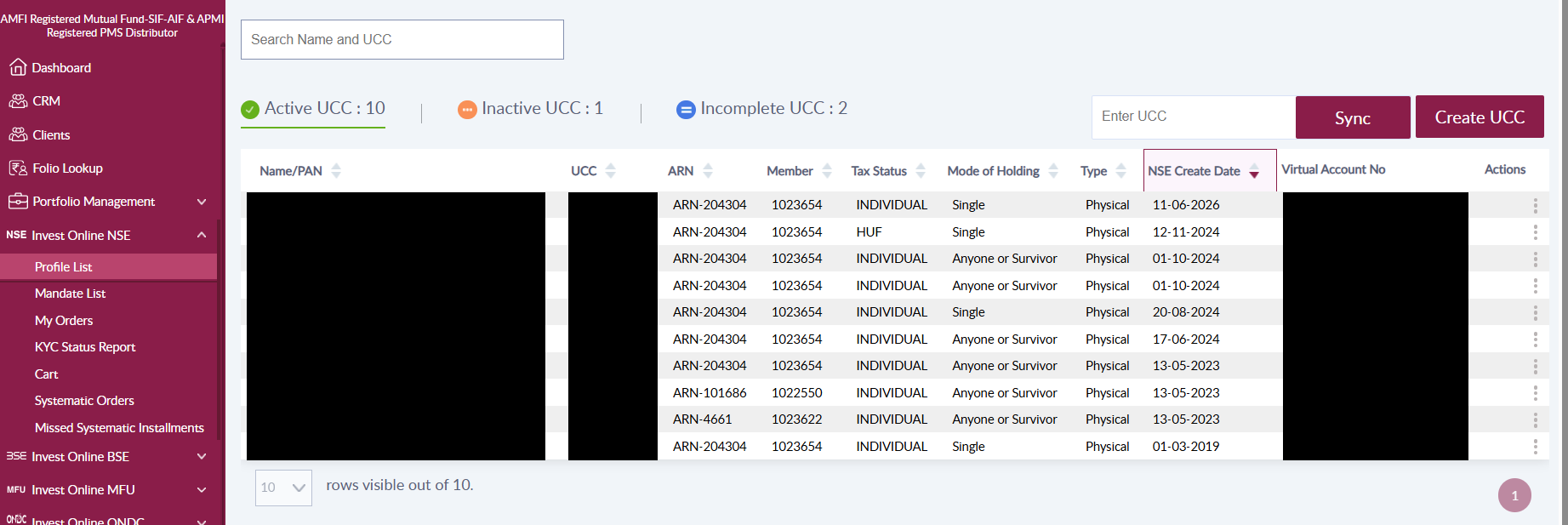
- Go to Invest Online NSE and select Profile List from the menu.
- In the Profile List, click Create UCC.
- Choose whether you are creating the profile for a New Client or an Existing Client.
- Select the tax status from the drop-down menu.
 Individual:
Select Individual as the tax status and enter the client’s PAN. The journey that follows depends on whether the PAN is validated.
Validated PAN: This is a four-step journey. The client’s name is prefilled from the PAN. Enter the holding pattern, nominee details, and bank details. On the last step, click Submit. The request is sent to NSE, and you can authorize the UCC on the screen. NSE also sends the UCC authorization link to the client’s email and mobile.
Non-validated PAN: You can complete the client’s KYC during the journey using Digi locker. Once you verify the details with the client and obtain the e-sign, the profile can be submitted to NSE. Enter the holding pattern, nominee details, and bank details. On the last step, click Submit. The request is sent to NSE, and you can authorize the UCC on the screen. NSE also sends the UCC authorization link to the client’s email and mobile.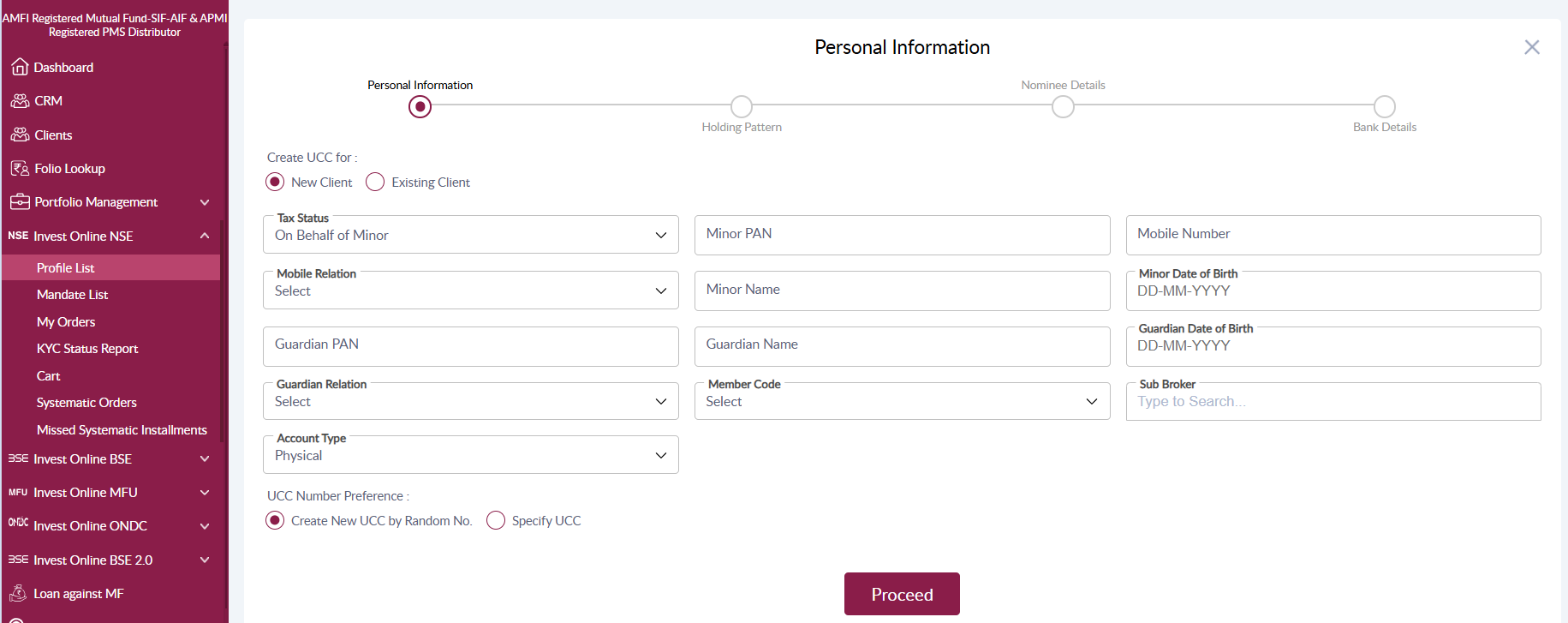
On Behalf of Minor:
- Go to Invest Online NSE and select Profile List from the menu.
- Click Create UCC, then select On Behalf of Minor as the tax status.
- Complete the Personal Information step. The minor’s PAN is not mandatory. The guardian’s PAN, name, date of birth, and relation are mandatory.
- Enter the holding pattern, nominee details, and bank details.
- On the last step, click Submit. The request is sent to NSE, and you can authorize the UCC on the screen. NSE also sends the UCC authorization link to the client’s email and mobile.
FAQs
1. How do I get profiles of other tax statuses for NSE on Investwell?
Investwell supports sync for all tax statuses. You can create a profile for any tax status available with NSE on their platform and sync it by entering the UCC and clicking Sync. Alternatively, it will sync overnight and be available for transactions the next day.
2. Is there any plan to introduce creation of profiles of other tax statuses on Investwell?
We will be rolling out the creation of NRE, NRO, and NRI minor profiles soon.
3. Is the minor’s PAN mandatory when creating an On Behalf of Minor profile?
No. The minor’s PAN is not mandatory. However, the guardian’s PAN, name, date of birth, and relation are required to create the profile.
4. Who receives the UCC authorization link?
NSE shares the UCC authorization link with the client on their registered email and mobile. You can also authorize the UCC on the screen after submitting.
5. What happens if the client’s PAN is not validated?
You can complete the client’s KYC through Digi locker during the journey. After verifying the details with the client and obtaining the e-sign, you can submit the profile to NSE.
6. How to open a minor account?
- Go to Invest Online NSE and select Profile List from the menu.
- Click Create UCC, then select On Behalf of Minor as the tax status.
- Complete the Personal Information step. The minor’s PAN is not mandatory. The guardian’s PAN, name, date of birth, and relation are mandatory.
- Enter the holding pattern, nominee details, and bank details.
- On the last step, click Submit. The request is sent to NSE, and you can authorize the UCC on the screen. NSE also sends the UCC authorization link to the client’s email and mobile.
7. Can I choose the UCC number?
Yes. You can either create a new UCC by random number or specify a UCC.
Was this article helpful?
That’s Great!
Thank you for your feedback
Sorry! We couldn't be helpful
Thank you for your feedback
Feedback sent
We appreciate your effort and will try to fix the article