BSE 2.0 integration is completed in two stages, on two different platforms, and both stages are required. First, you'll exchange and register public keys on the BSE StAR MF 2.0 portal. Then you'll enter your BSE-issued credentials on your Mint (InvestWell) portal to complete the connection. This guide walks through both stages in order.
Step 1: Download Public Keys from Mint
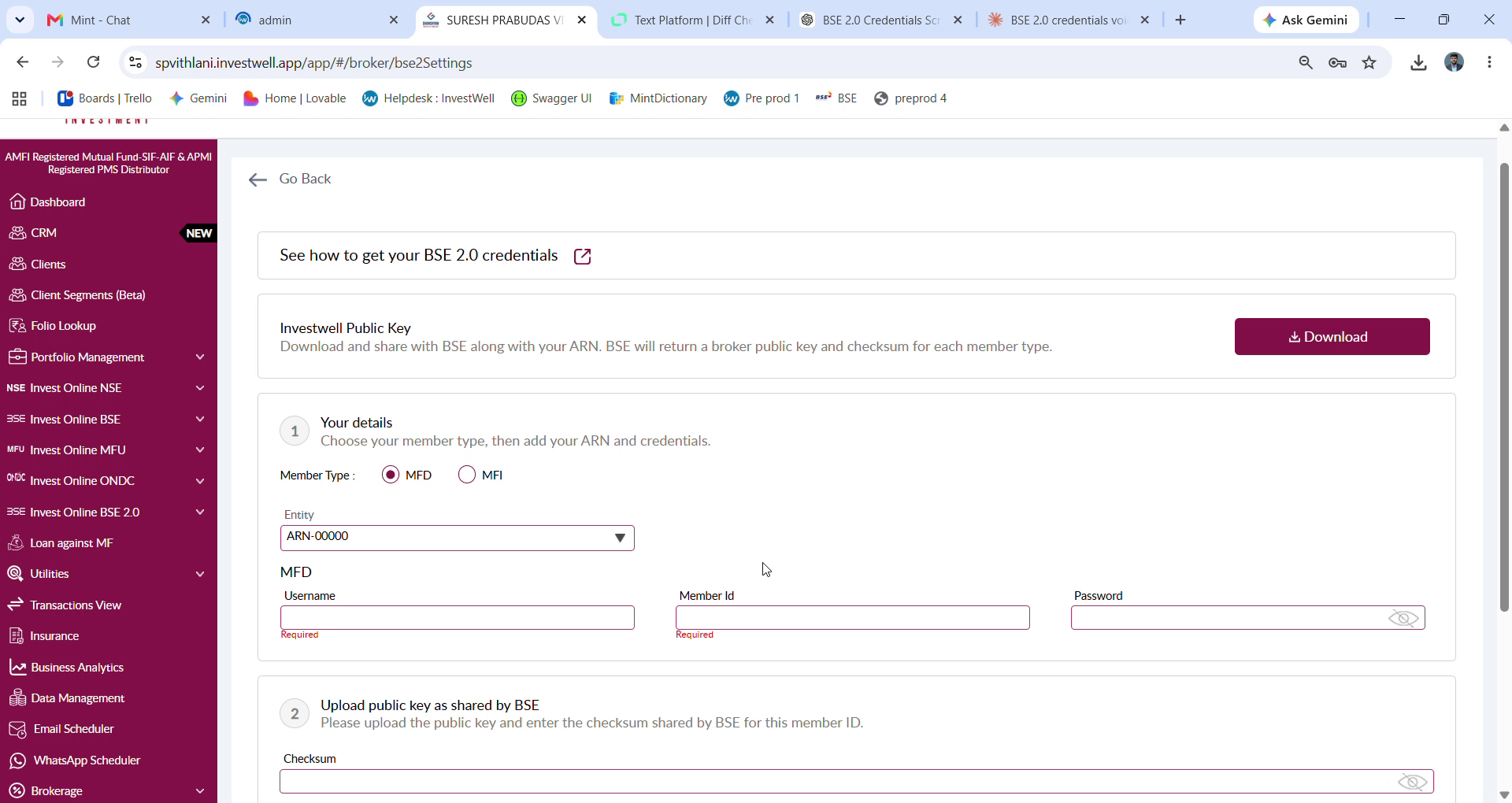
Open your Mint portal and go to Settings > BSE 2.0 Credentials. Under "Add Credentials," click Download to get your Investwell Public Key. Open the downloaded file and copy its contents — you'll need this to share with BSE.
Step 2: Sign in to BSE StAR MF 2.0
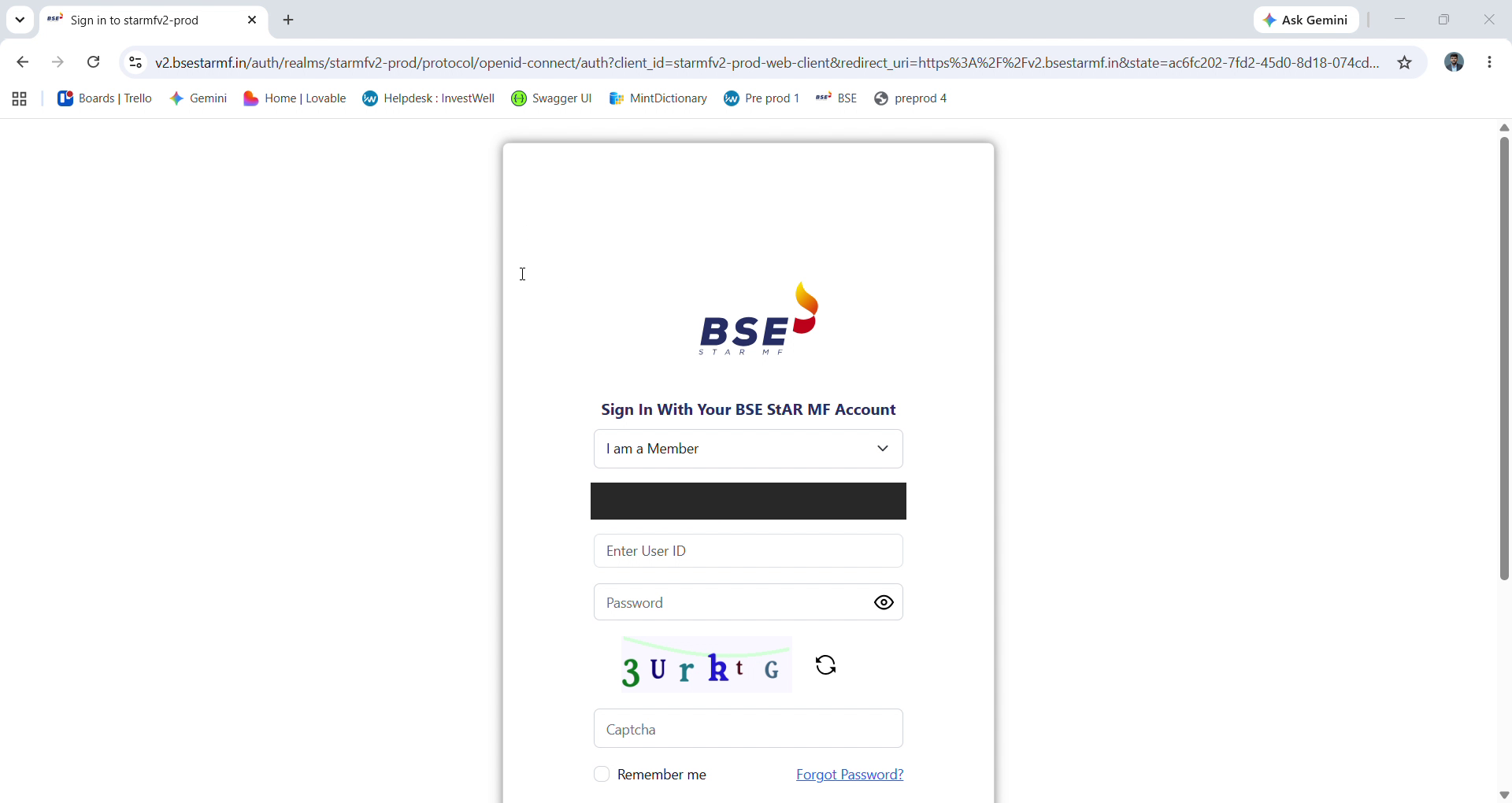
Open the BSE StAR MF 2.0 sign-in page (https://v2.bsestarmf.in/). Select “I am a Member,” then enter your Member Code, User ID, and Password
Step 3: Verify with a one-time password
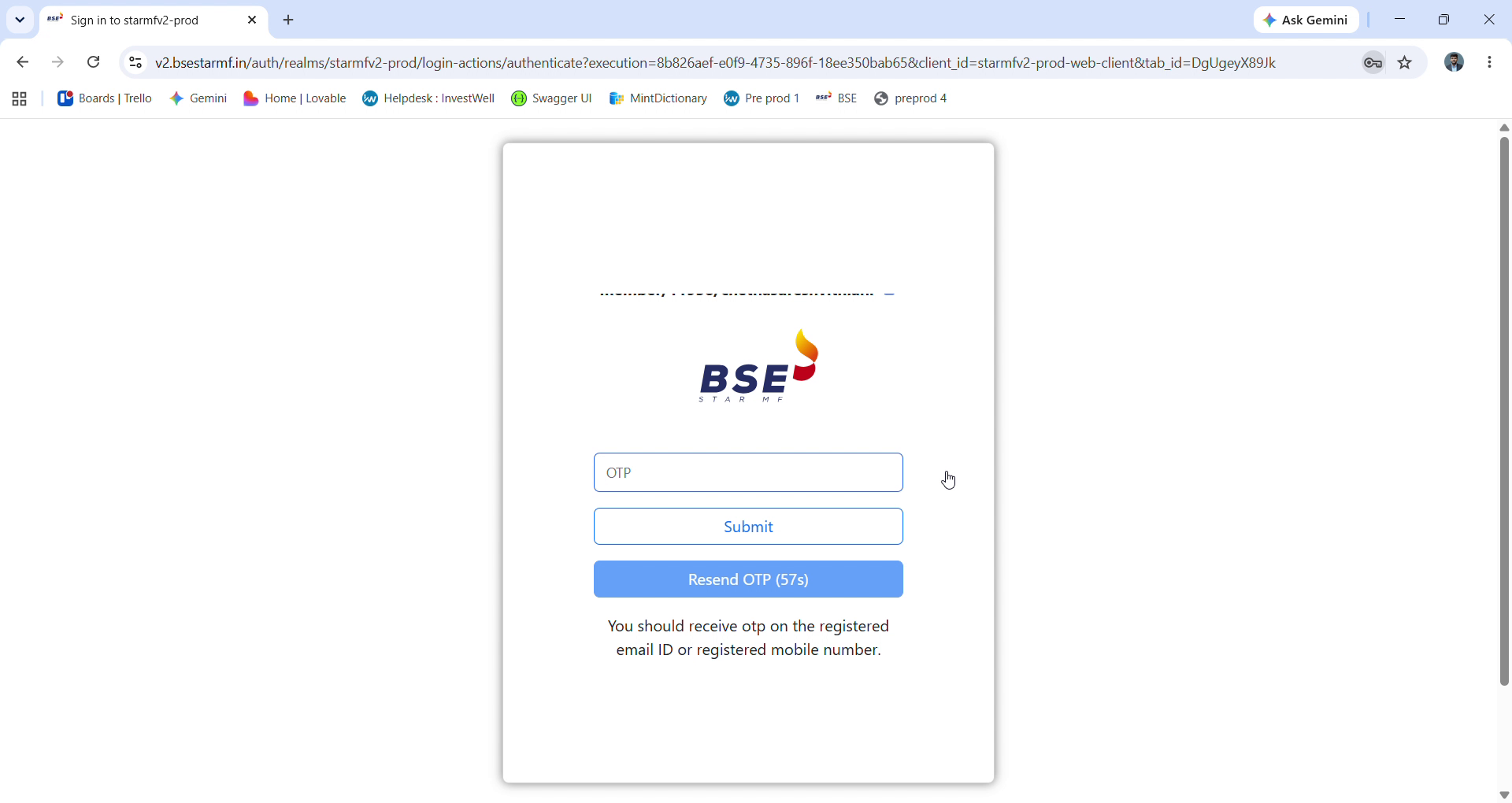
After signing in, BSE will send a one-time password (OTP) to your registered email address or mobile number. Enter the OTP and click Submit to continue. If it doesn't arrive, use “Resend OTP” once the timer runs out.
Step 4: Go to Member Integration
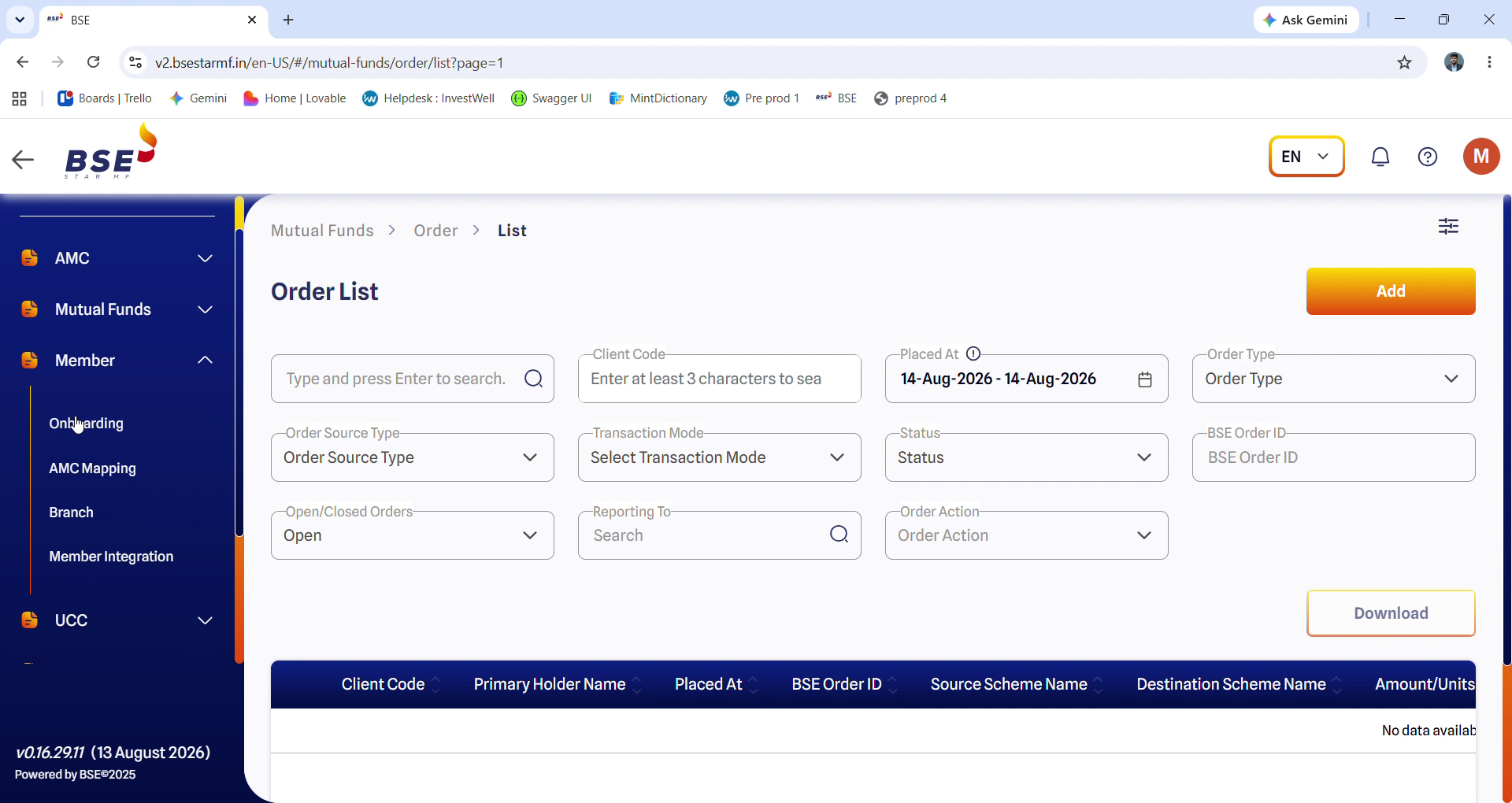
Once you're signed in, expand Member in the left-hand menu and select Member Integration.
Step 5: Upload your Public Key
The Member Integration page lists any credentials already on file. Click Upload to add a new one. In the dialog that appears, paste your Investwell Public Key into the Key field, then click Submit.
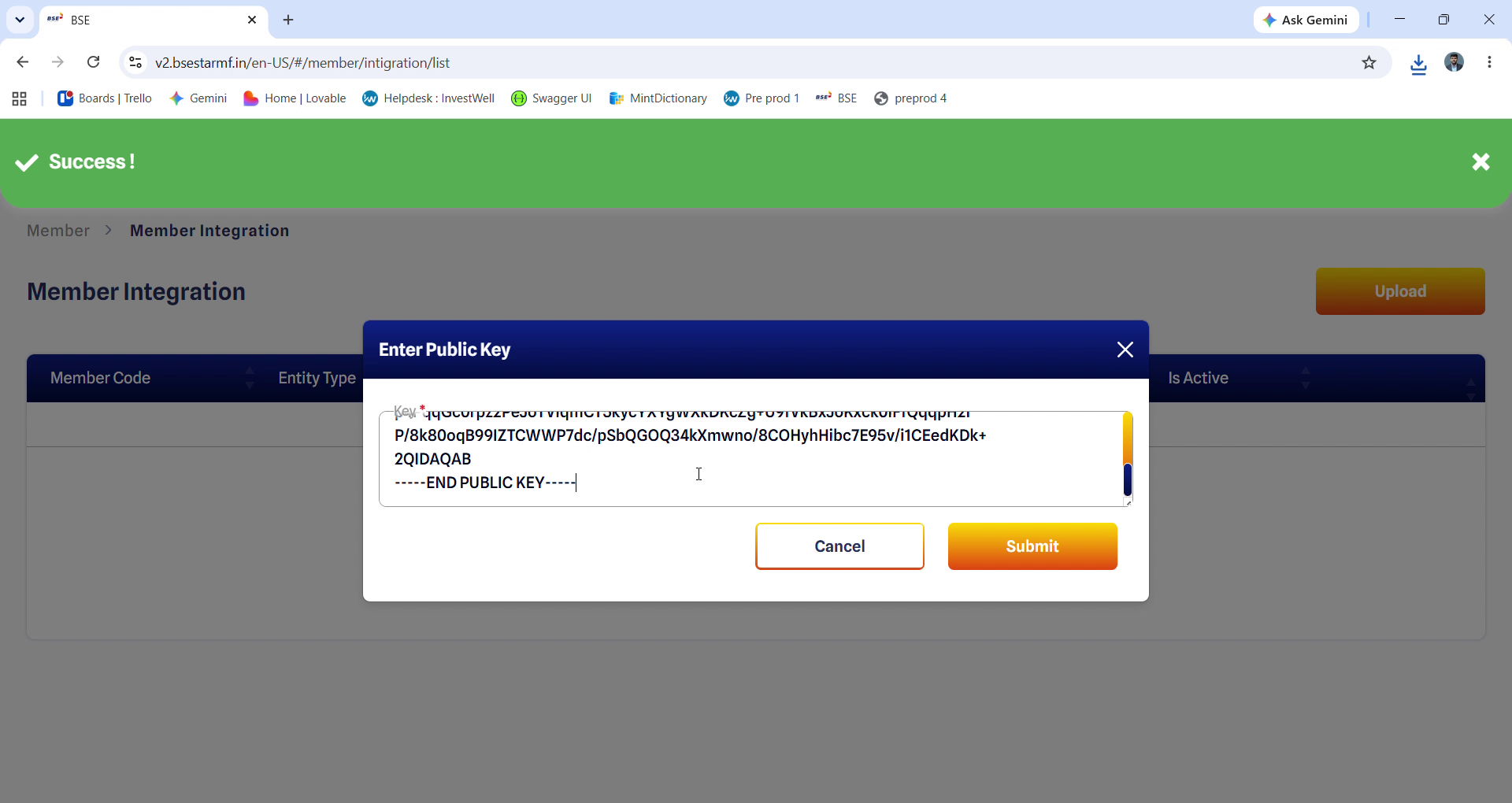
Step 6: Confirm the credentials were added
After submitting, you'll see a success message and a new row in the table showing your Member Code, Entity Type, Created Time, Check-Sum, and Public Key. Download the checksum - you'll need it in the next step.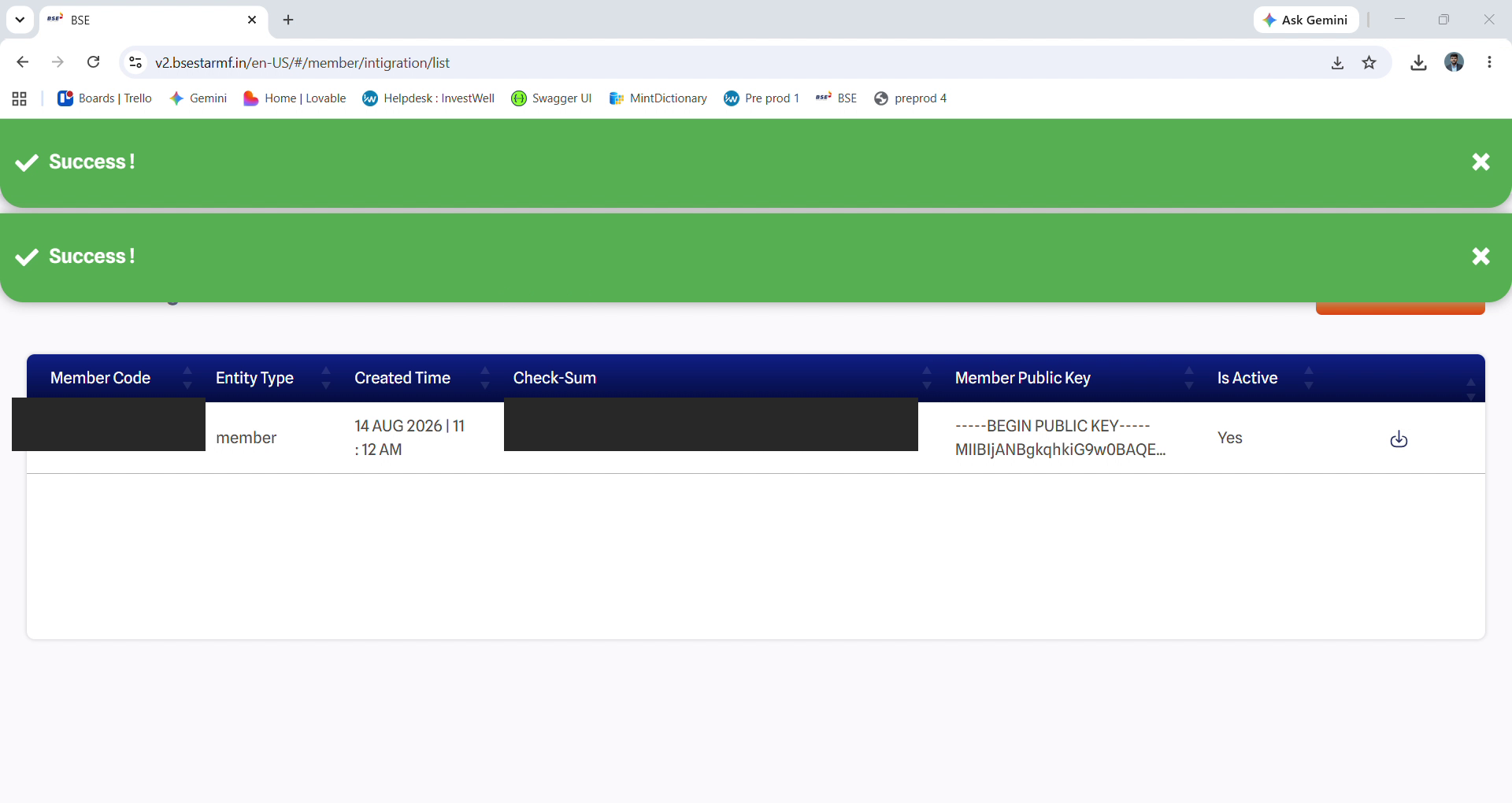
Step 7: Open BSE 2.0 credentials settings on Mint Portal
In Mint, go to settings and click on BSE 2.0 credentials. Under “Your details,” choose your member type (MFD or MFI), confirm your ARN, and enter your Username, Member ID, and Password — the same Member ID used to sign in to BSE StAR MF. Then, under “Upload public key as shared by BSE,” enter the Check-Sum that BSE returned for this member ID. If you're using your own BSE-issued key pair instead of the Investwell-generated one, toggle “Upload your own BSE keypair” on; otherwise leave it set to No. 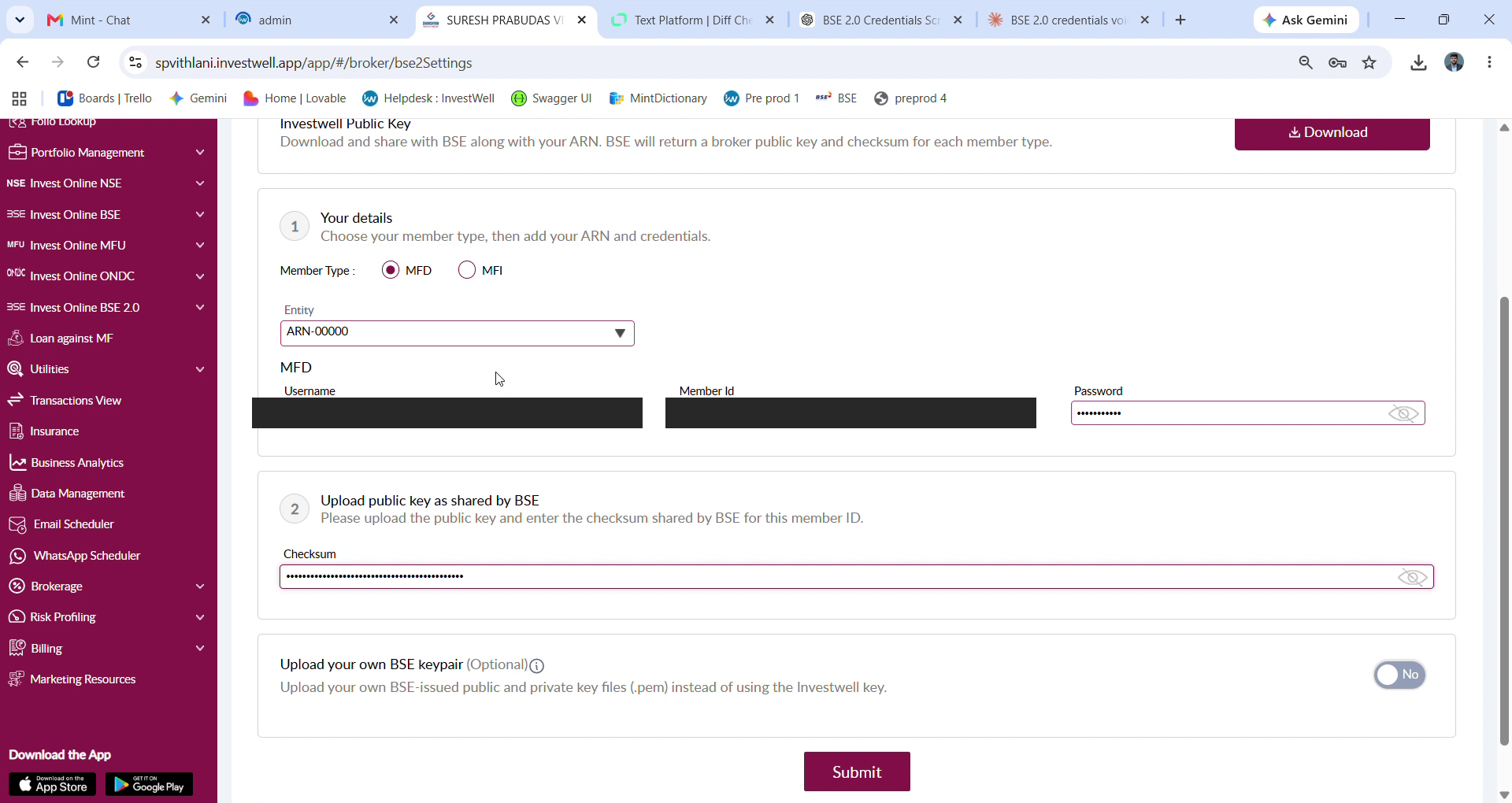
Step 8: Submit
Once every field is filled in, click Submit. This completes the BSE 2.0 integration between your Mint account and BSE StAR MF.
Was this article helpful?
That’s Great!
Thank you for your feedback
Sorry! We couldn't be helpful
Thank you for your feedback
Feedback sent
We appreciate your effort and will try to fix the article