Basket is a set of schemes where brokers can allocate a percentage to each scheme.
Investors can just choose the basket for investing. They just need to enter an investment amount, the amount will be distributed based on the percentages allocated.
Note: This feature is only available for NSE and MFU users who opted onboarding module
Basket Creation
In the broker portal there will be a new menu in settings named ‘Baskets’. In this menu,
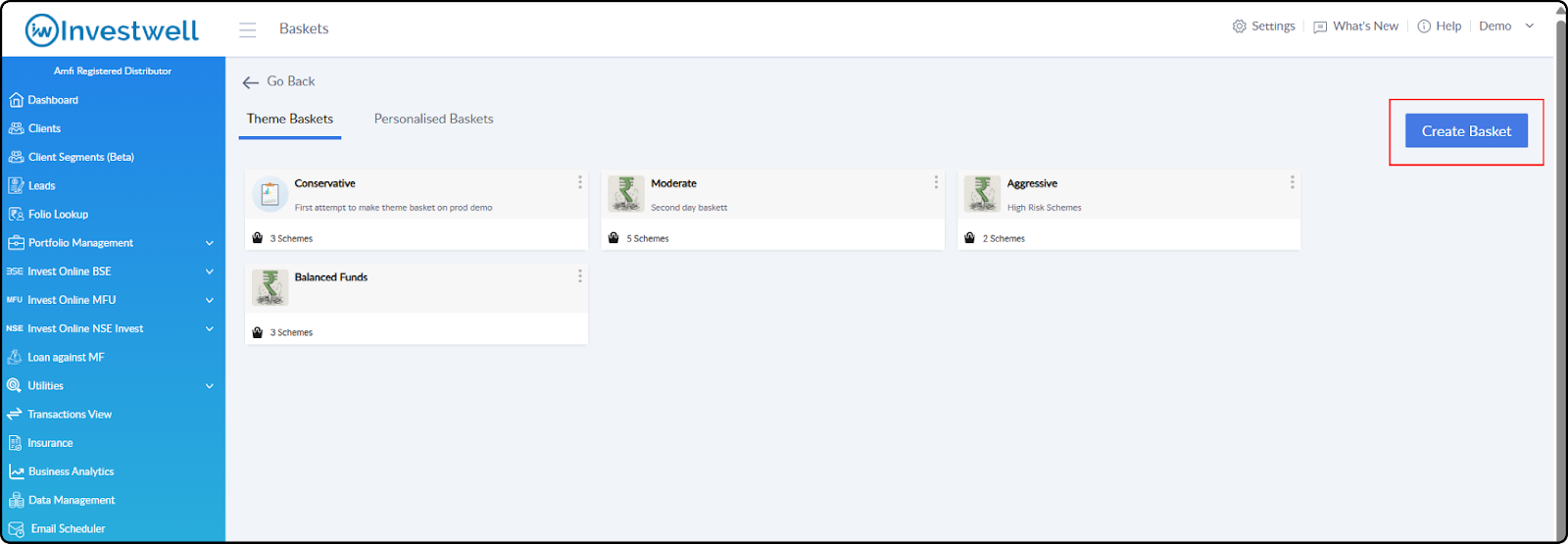
there will be two types of baskets a broker can create (Theme Baskets and Personalised Baskets).
Theme Baskets
These are theme based curated set of schemes.
Path: Settings > Baskets > Theme Baskets
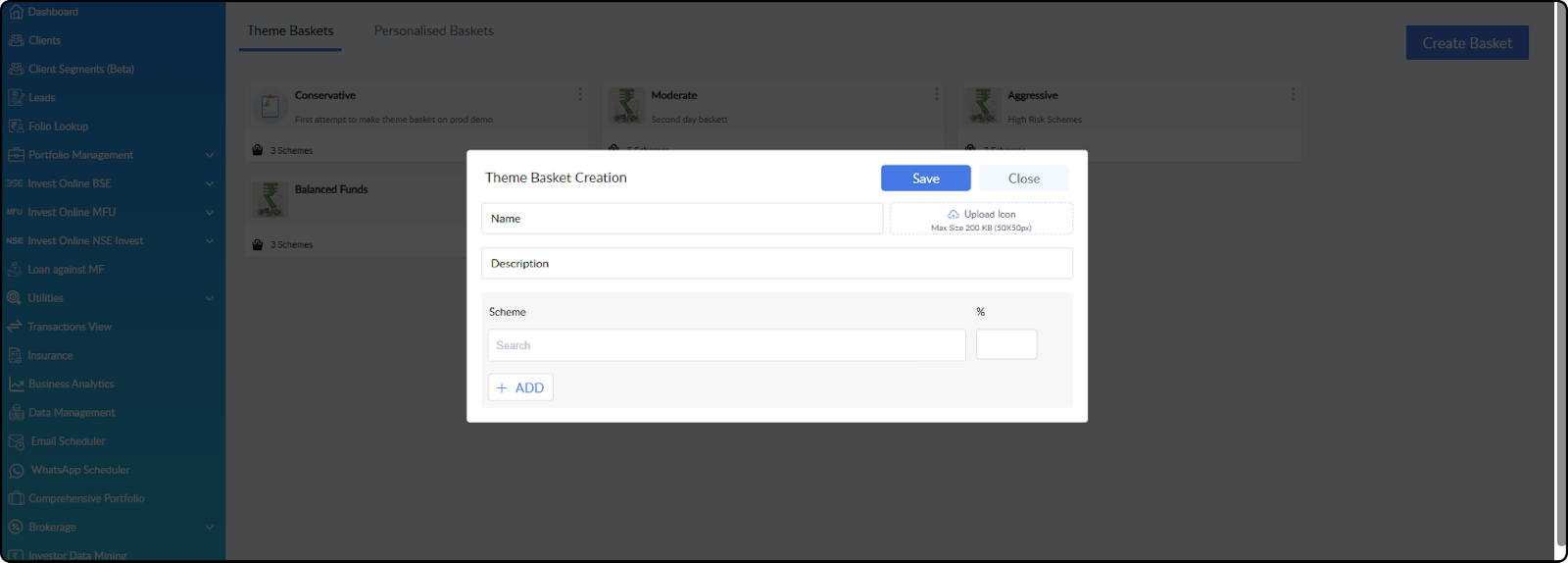
In this basket, you can add multiple schemes and allocate a percentage to each one.
When the investor selects the basket and enters an investment amount, the system will distribute the amount automatically based on the percentages assigned.
Hide Basket: Any Basket created can be hidden from the investors by clicking on the actions icon of the basket and click on hide.
Personalised Baskets
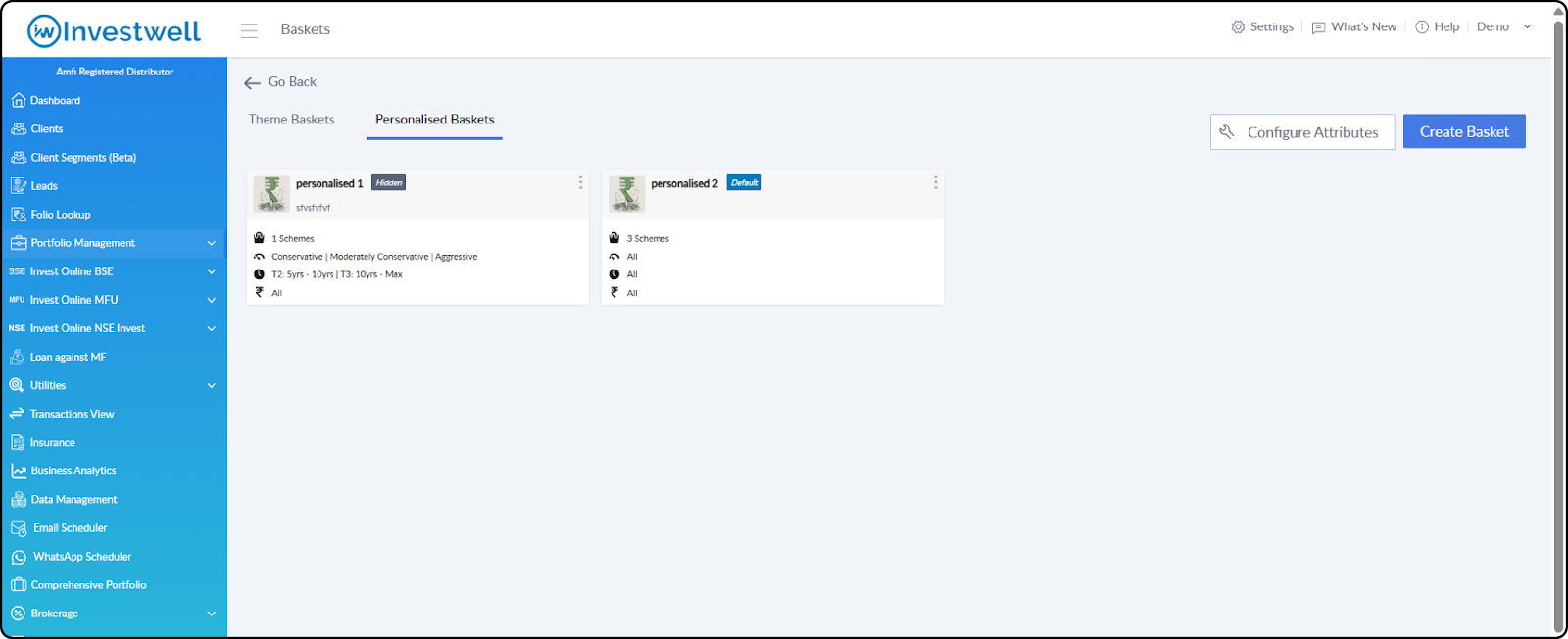
This basket is designed to give more personalised recommendations to the investors based on the parameters
Path: Settings > Baskets > Personalised Basket
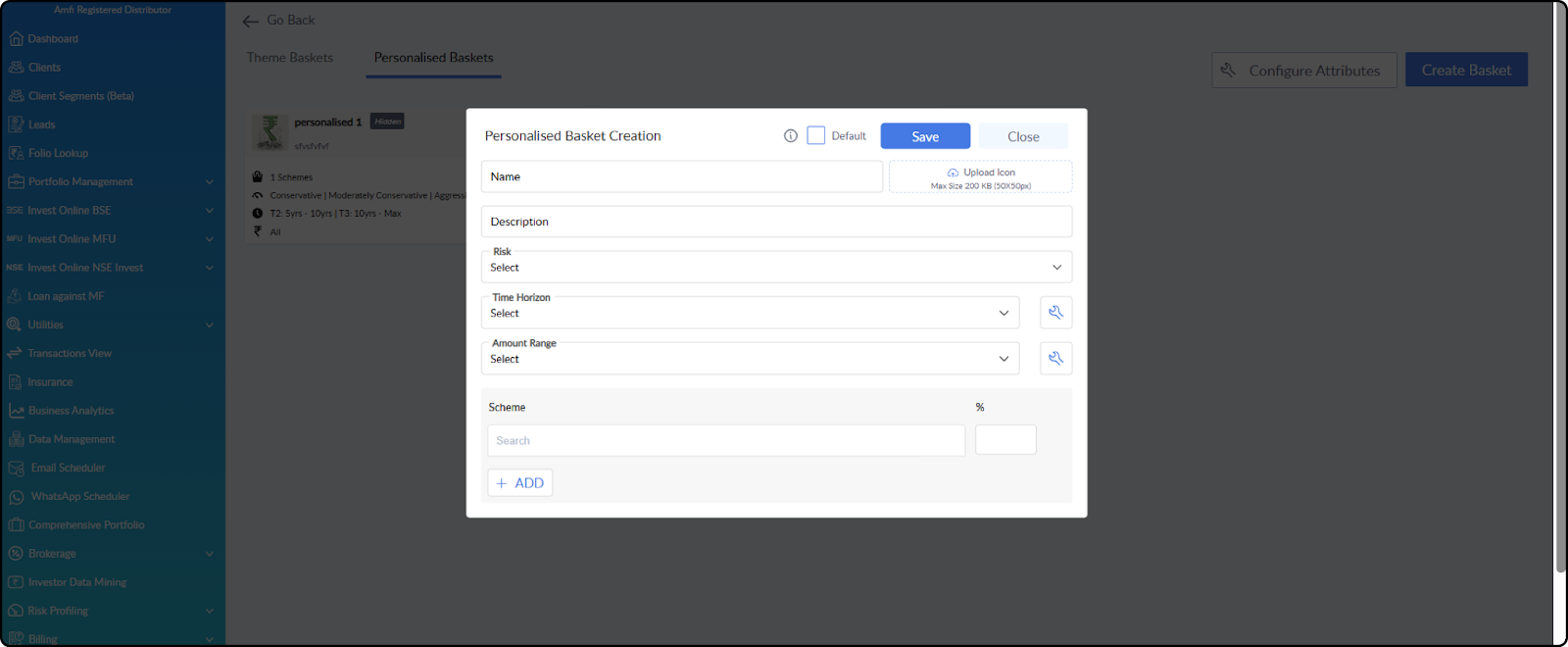
It has three additional parameters: Risk, Time Horizon and Amount Range.
The options shown in Time Horizon and Amount dropdowns can be configured by clicking on the icon beside these fields.
While investing, the investor answers a few questions. Based on the responses, one or more personalized baskets are recommended. The recommendations are generated by matching the investor’s responses with basket parameters.
Default Basket:
This basket would be shown to the users when no basket matches the responses given by the investor.
There must always be a default basket. When the first personalised basket is created, it would become the default basket. Another basket can be assigned as the default basket if needed.
Hide Basket: Any Basket created can be hidden from the investors by clicking on the actions icon of the basket and click on hide.
Investor View of Baskets
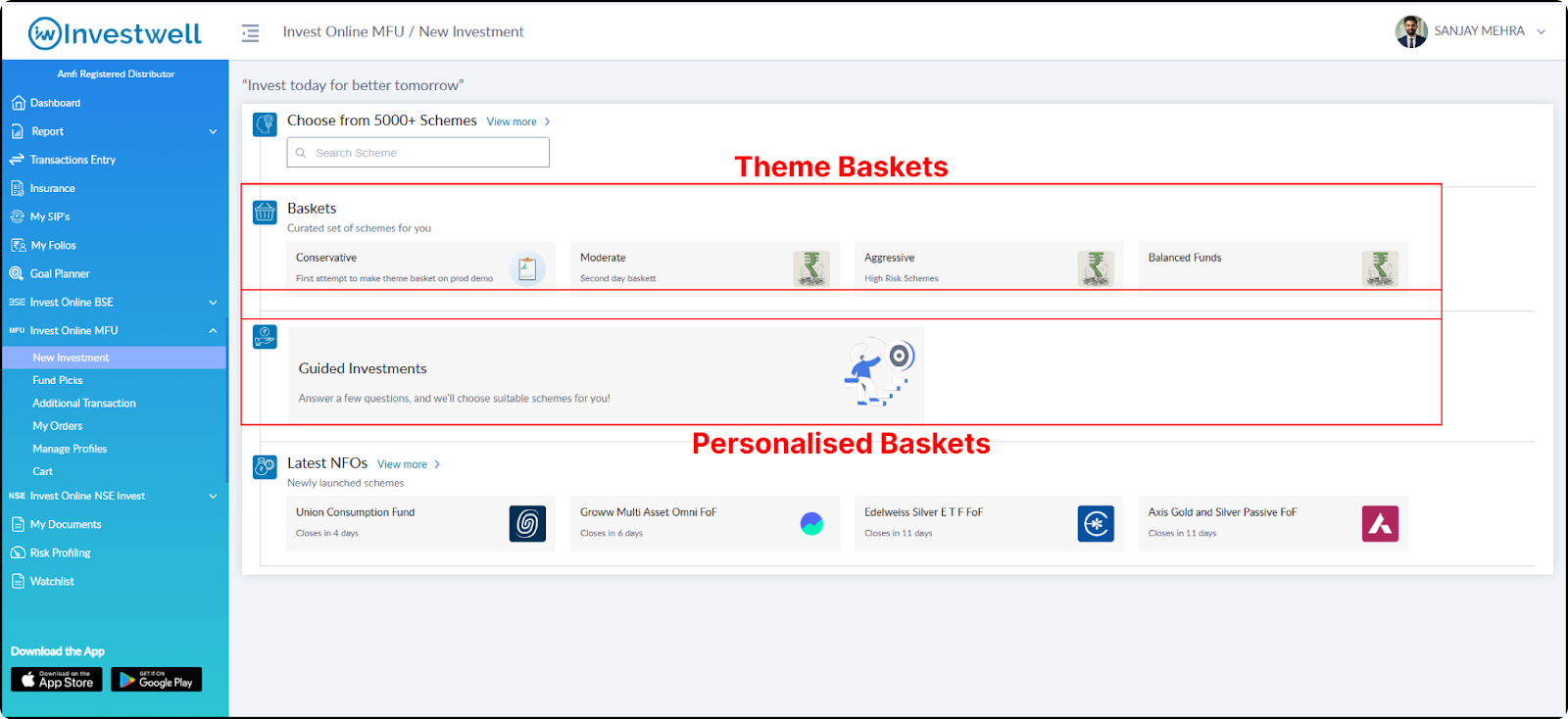
In the Invest Online NSE and Invest Online MFU, the created baskets can be seen to the investors.
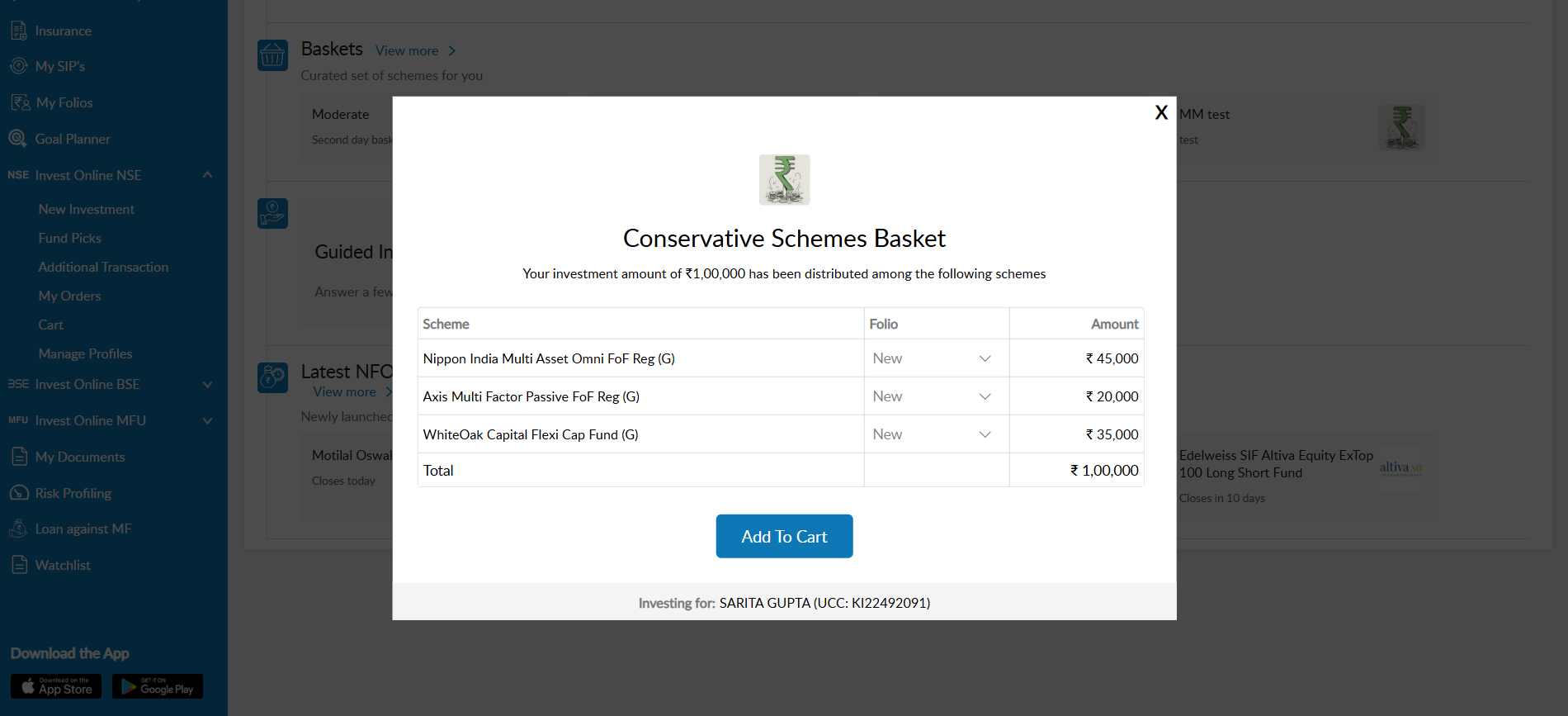
Baskets (Theme Baskets) : Investors can click on a basket, enter the investment amount, and view the amount split as per the basket allocation. On clicking Add to Cart, all schemes in the basket are added to the cart.
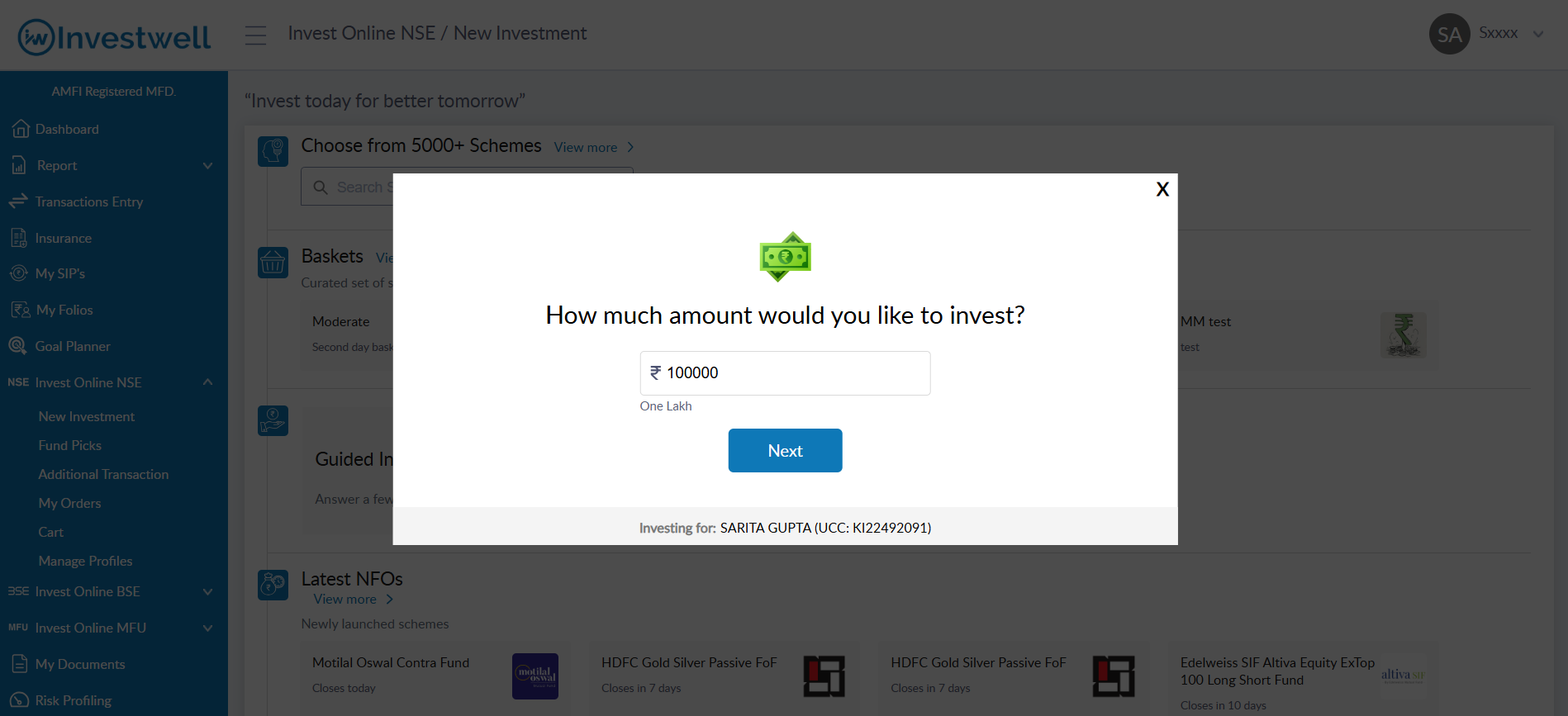
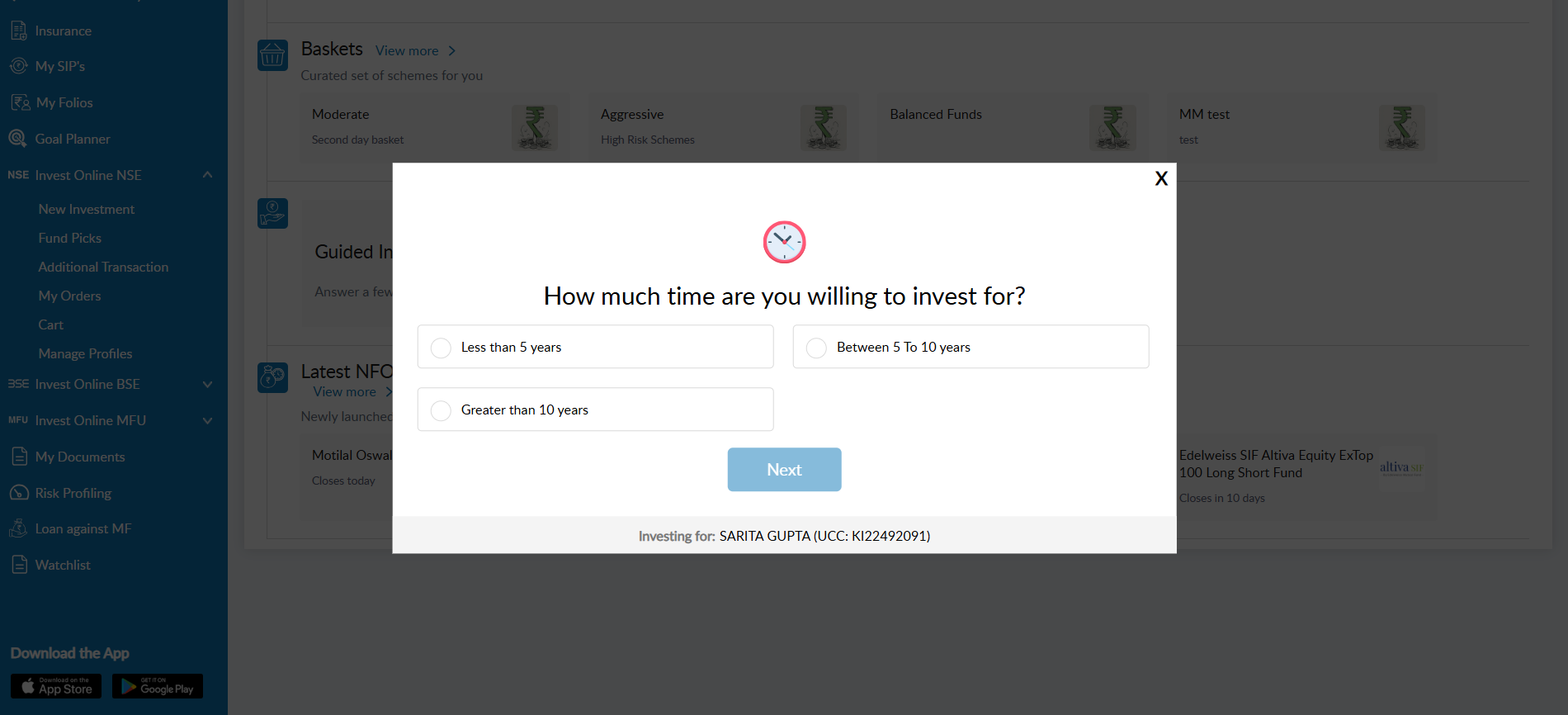
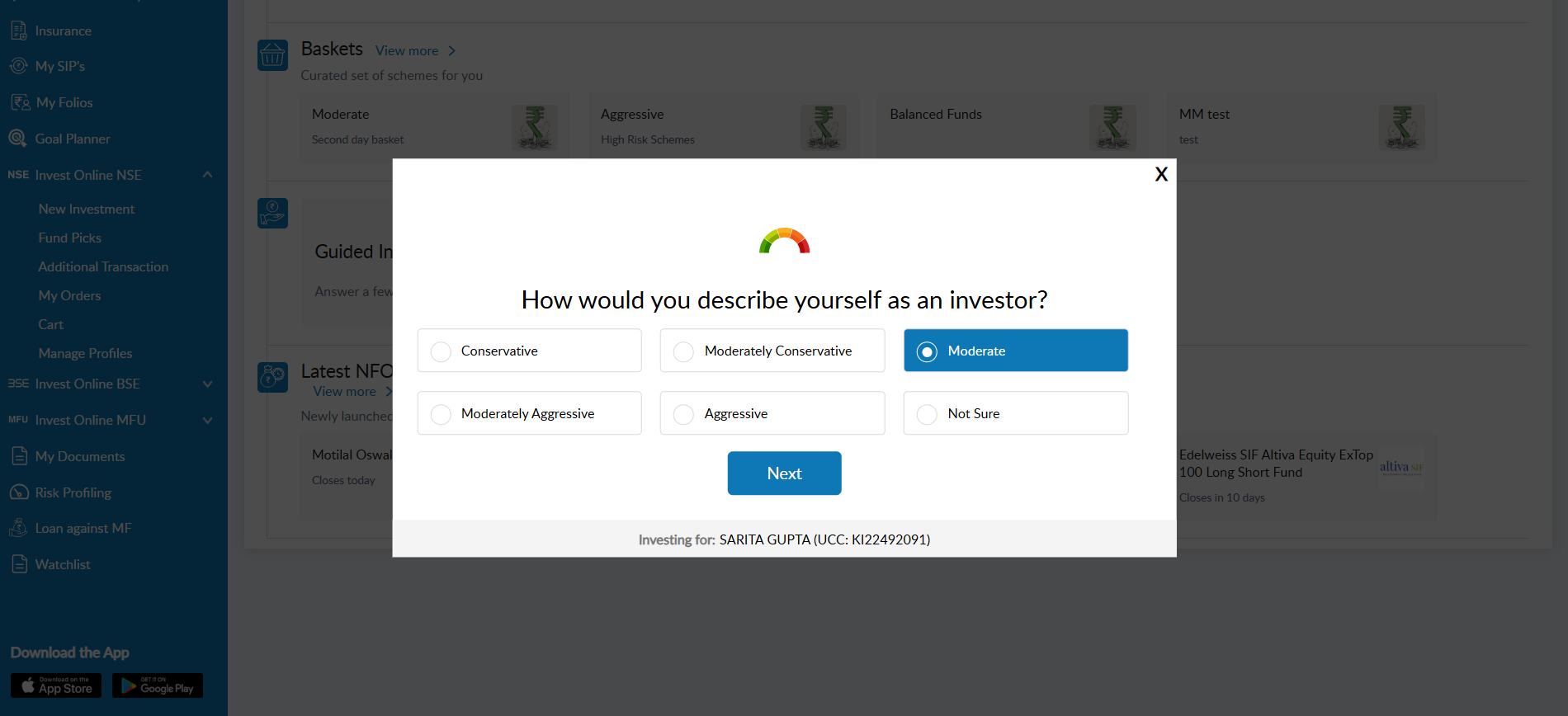
Guided Investments (Personalised Baskets): When investors click on this option, they are asked a few questions such as investment amount, investment horizon, and risk preference (if risk profiling has not already been completed). Based on the responses, a suitable basket is identified and the amount allocation screen is displayed. Investors can then review the allocation and click Add to Cart to proceed.
These sections would not be visible to the investors in case baskets have not been created.
Was this article helpful?
That’s Great!
Thank you for your feedback
Sorry! We couldn't be helpful
Thank you for your feedback
Feedback sent
We appreciate your effort and will try to fix the article