Introduction
When you process a Transmission or Gift units to someone the RTA reports it as a Switch transaction. This gets automatically imported into Investwell and creates 2 problems.
Wrong Portfolio valuation as the Original date of Purchase has been lost. The system shows the Switch in date and purchase date
Wrong Capital gain once those units are sold due to the same wrong Purchase cost and date.
We’ve solved this in Investwell. Our system allows you to select source and target folios and transfer the gifted units seamlessly. By applying FIFO (First-In-First-Out) logic based on the transfer date, the system shifts only the specific purchase transactions that correspond to the gifted units to the target folio.
Preface
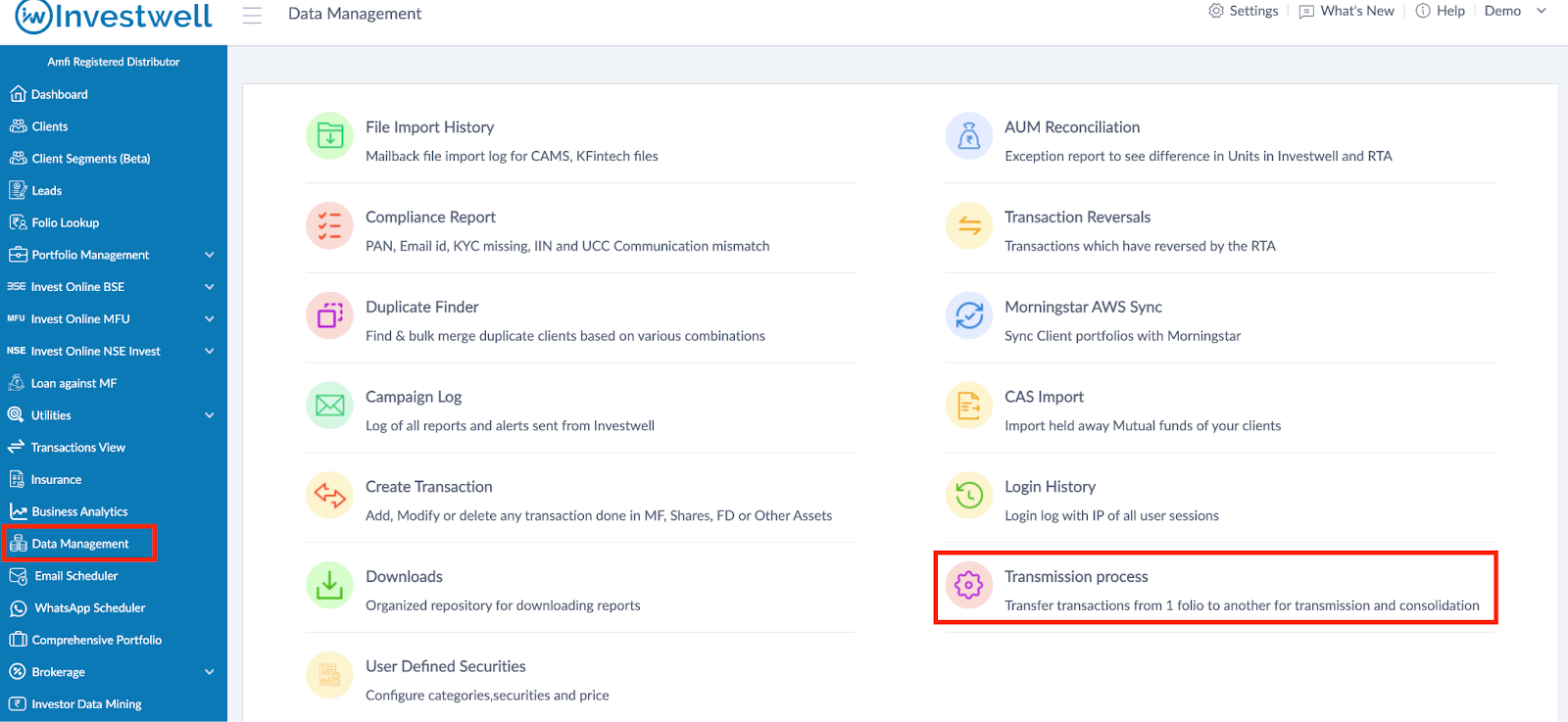
Once the transmission or gifting has been processed by the RTA and starts reflecting as a Switch inside Investwell then proceed to rectify the data in Data Management >> Transmission Process menu.
Procedure
This module allows you to transfer transactions from one folio to another for transmission or gifting purposes.
You can access it from:
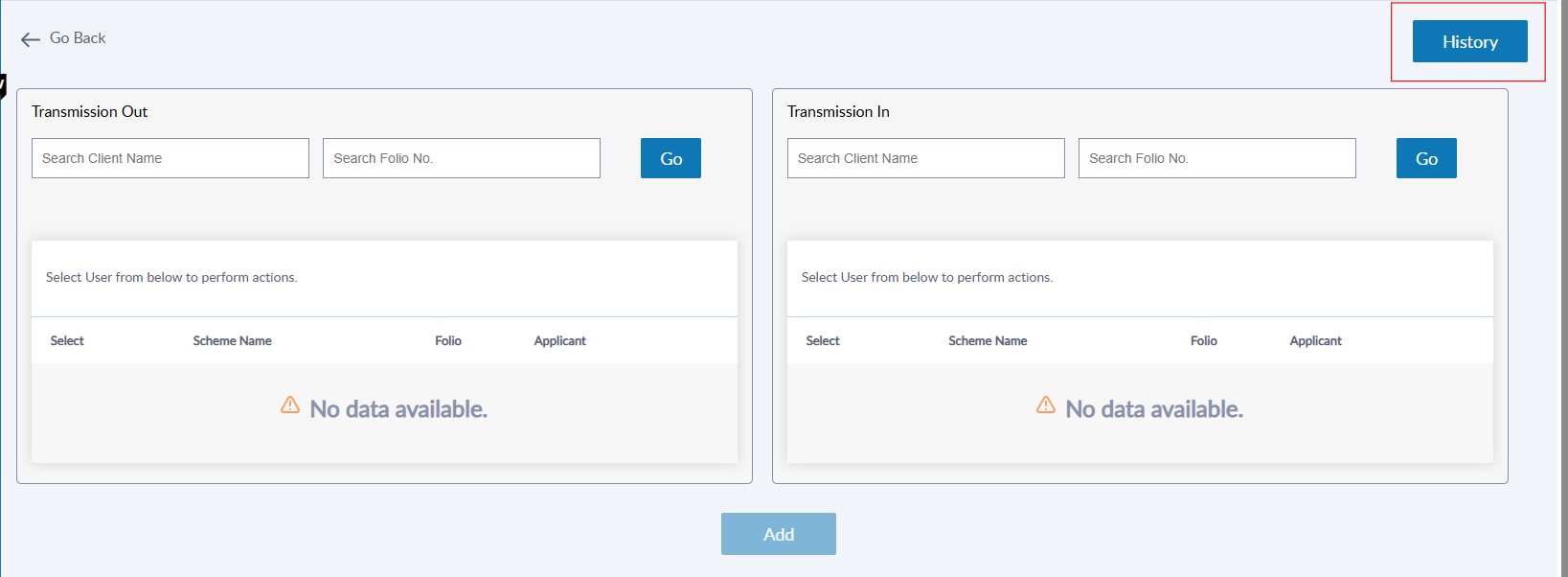
Data Management → Transmission Process
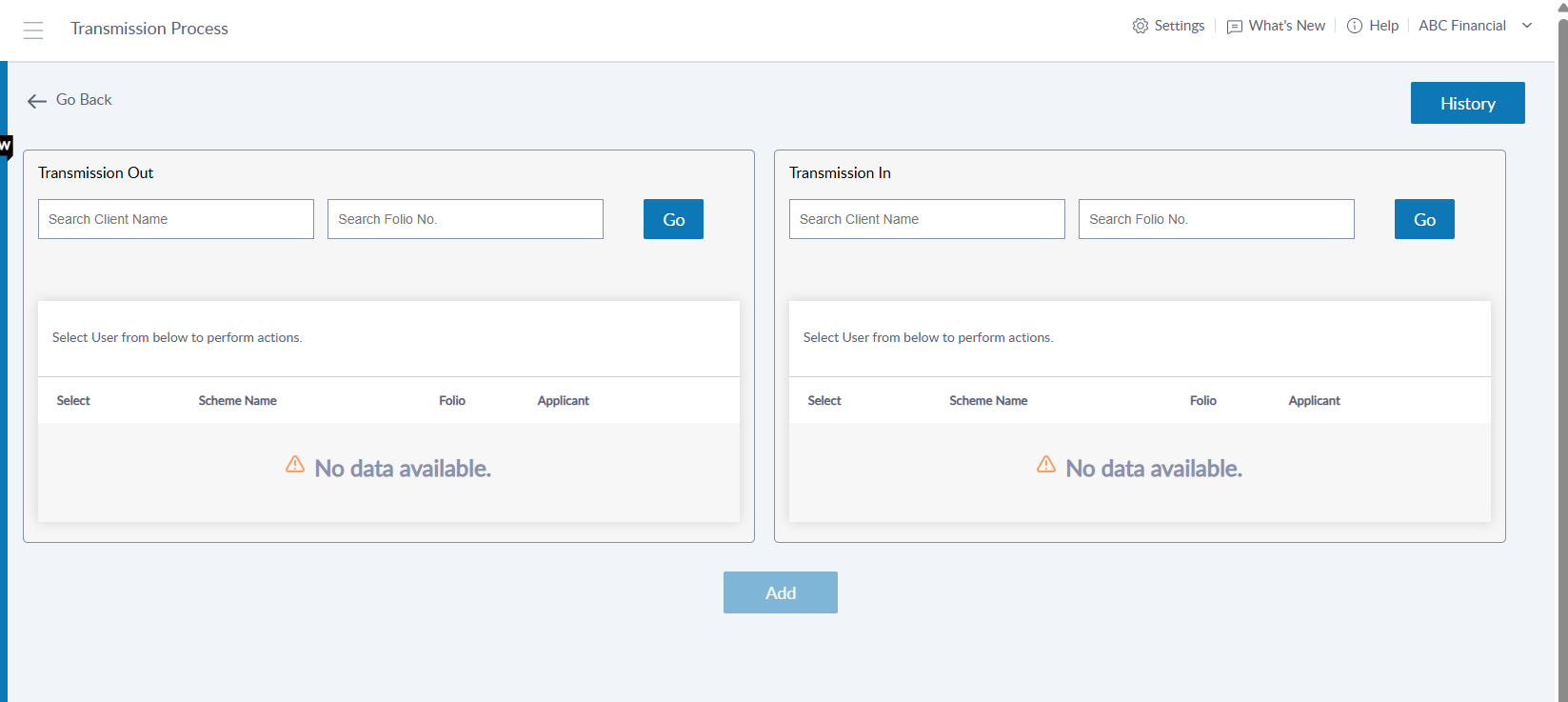
Selecting Client and Folios
To initiate a transmission:
Select the Client Name
Choose the Source Folio (from which units will be transferred)
Choose the Target Folio (to which the units will be transferred)
Click Add to proceed.
Choosing the Transmission Type
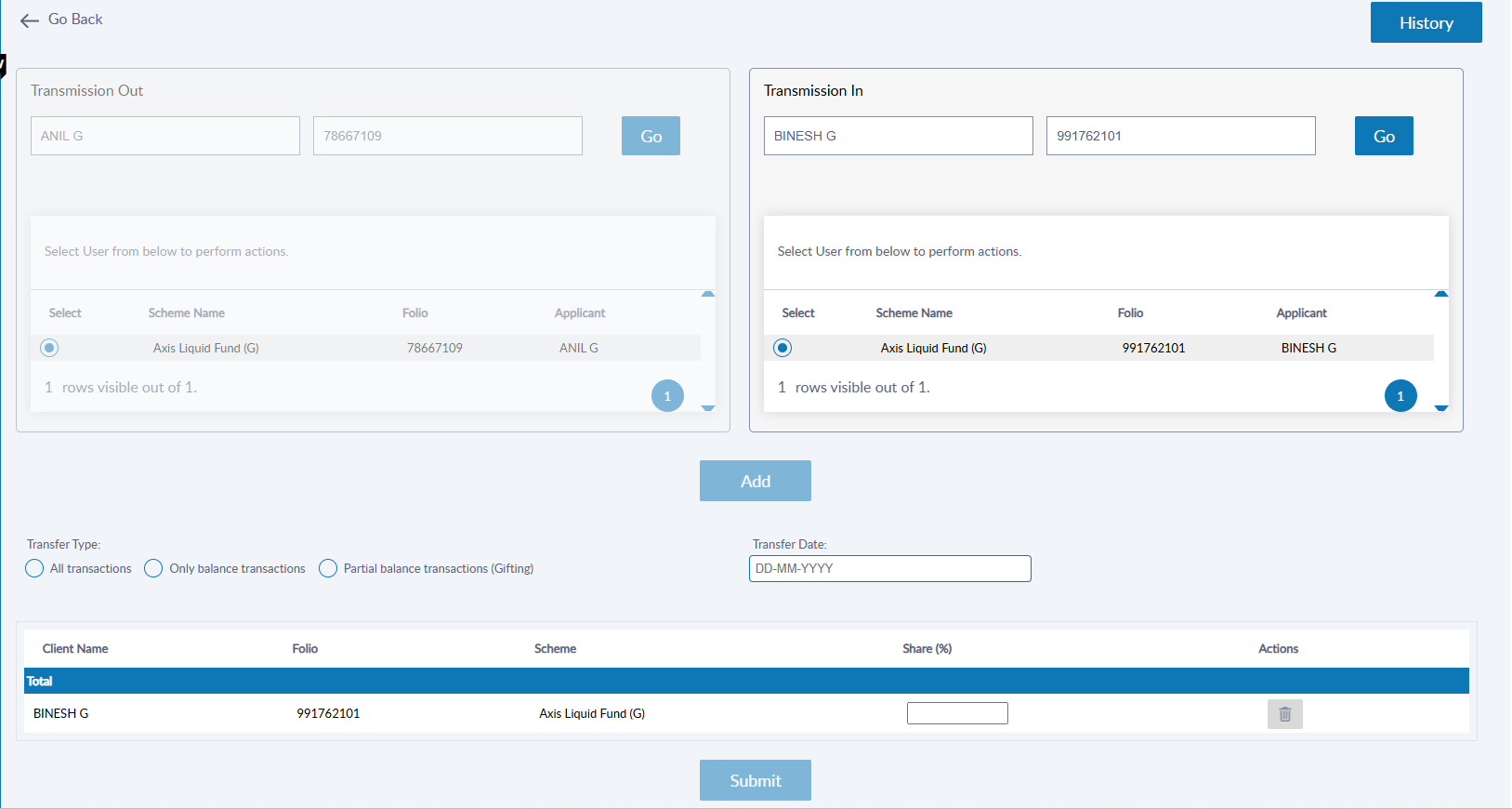
You can choose one of the following transmission modes:
Only Balance Transactions
Transfers only the current balance units.
Share % to be entered in this case
Use this type in case of Transmission cases on death of the original holder.
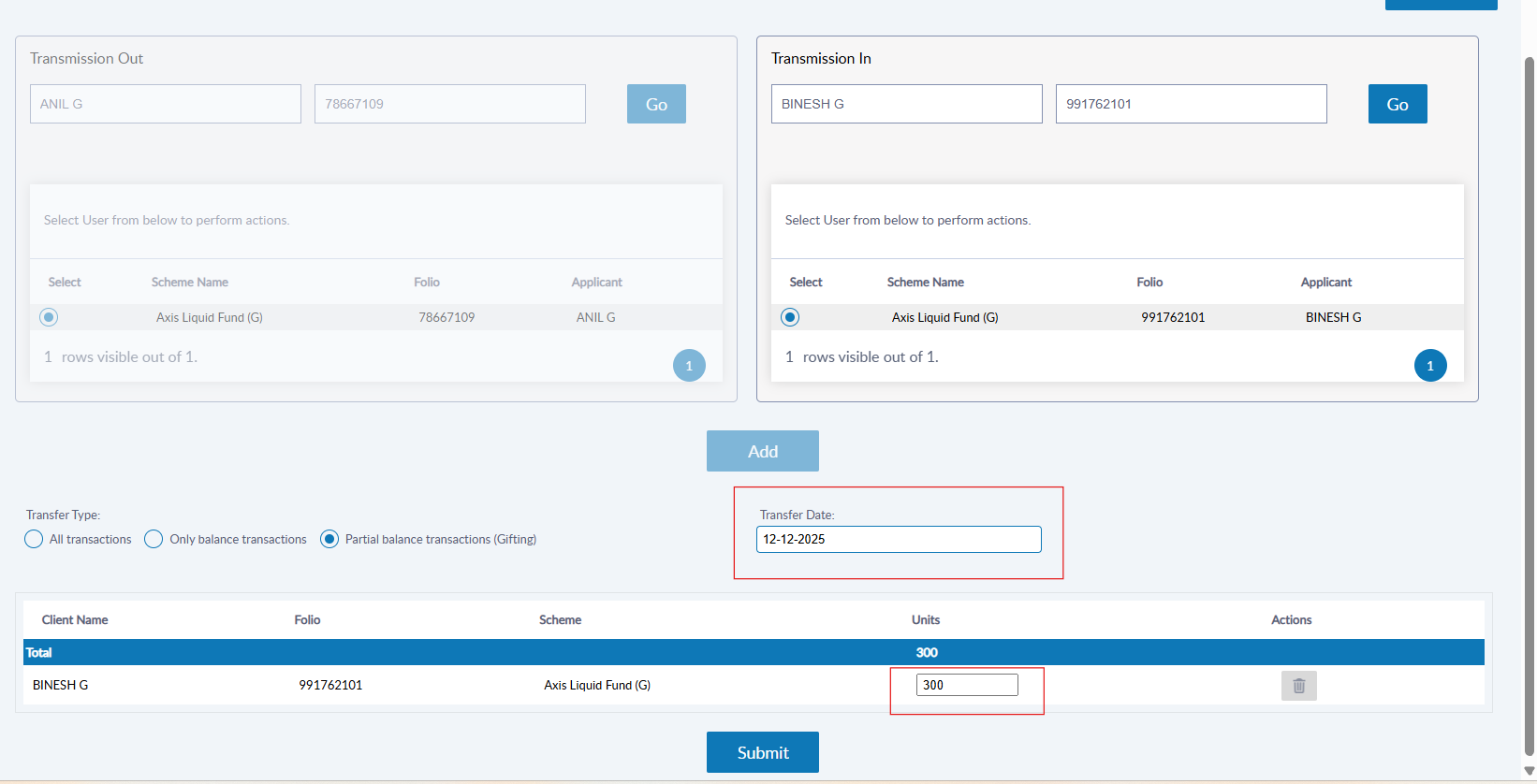
Partial Balance transactions (Gifting)
Allows you to transfer a specific no of units.
The number of units to be gifted to be entered here
Use this type when units are gifted to another person.
Input the Transfer Date , i.e. the Date on which the transmission or gifting was executed by the Registrar.
Example
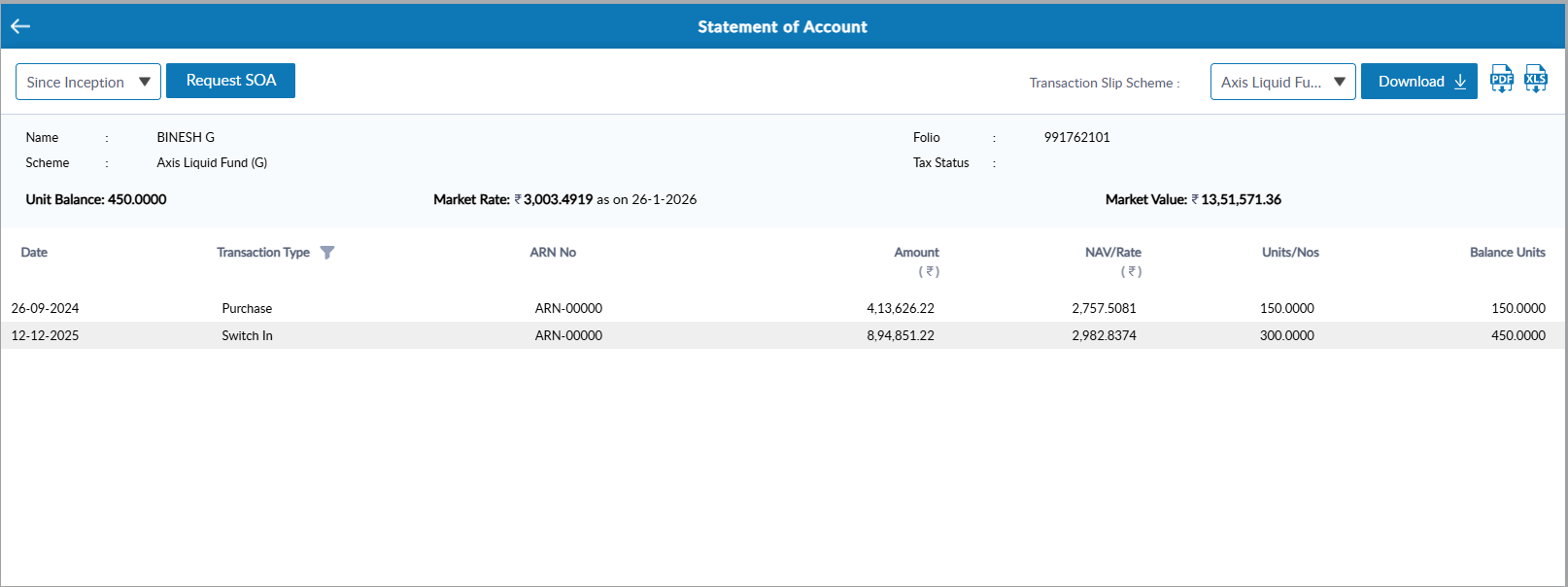
Here is an example of gifting of 300 units done by user 1 to user 2 and we received an switch transaction for this from RTA. Below you can see the changes in the SOA of user 1 and user 2 after Transmission(gifting) action is done from the portal.
Before Gifting Action is performed:
User 1:
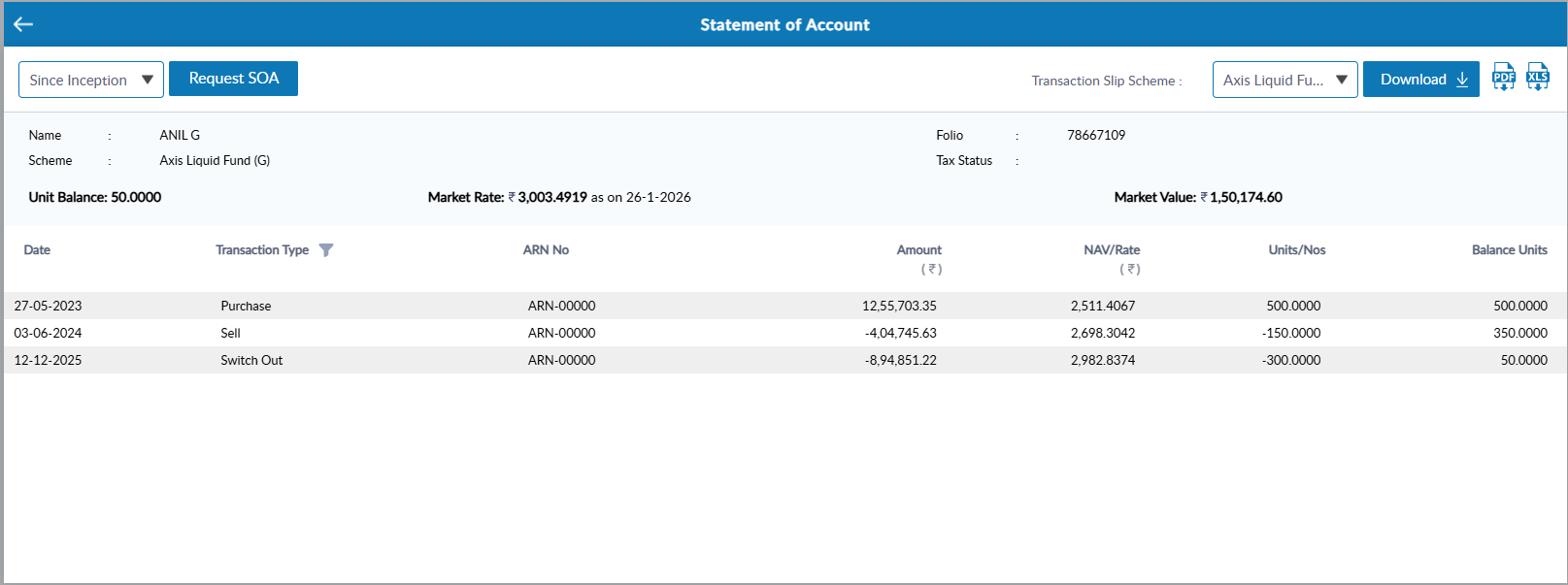
User 2:
After Gifting Action is performed:
User 1:
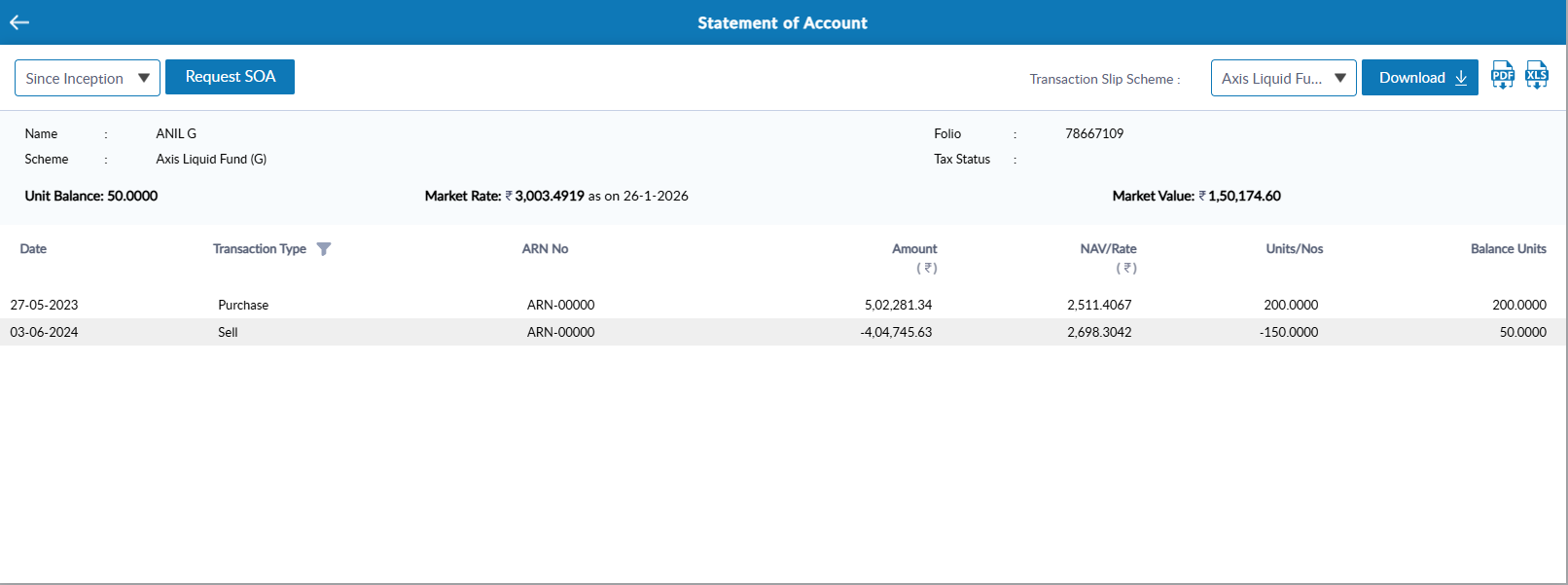
User 2:
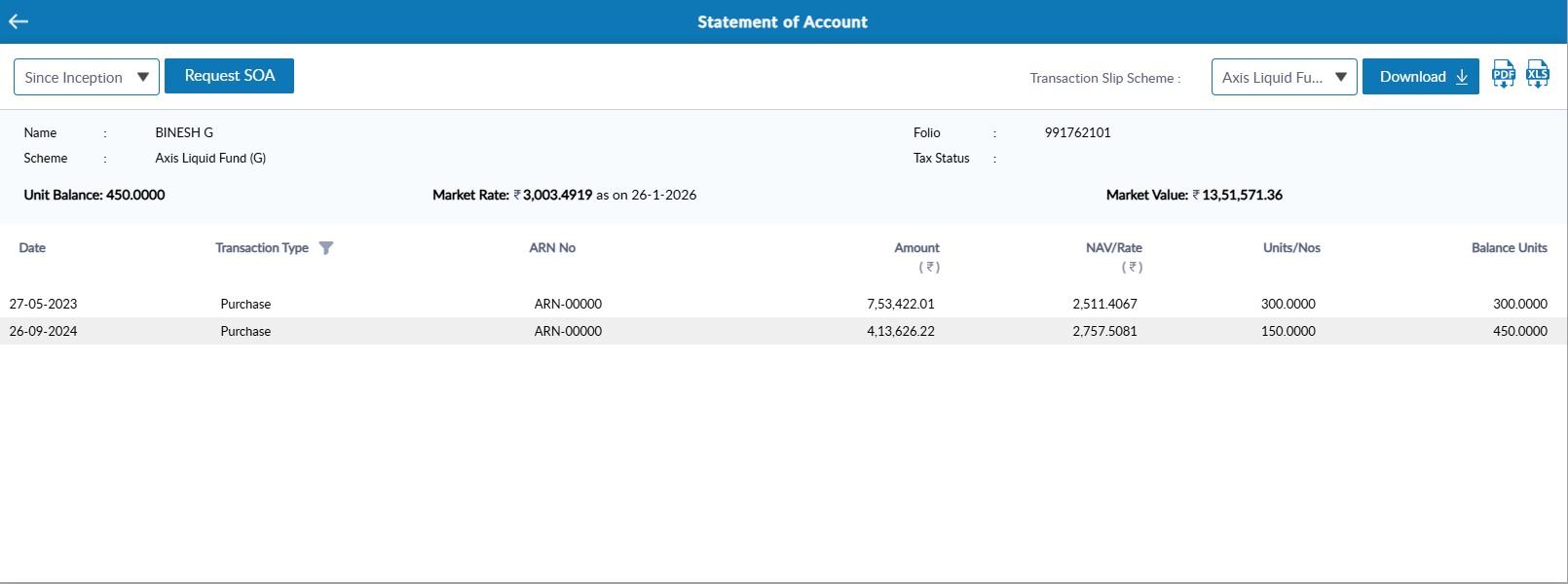
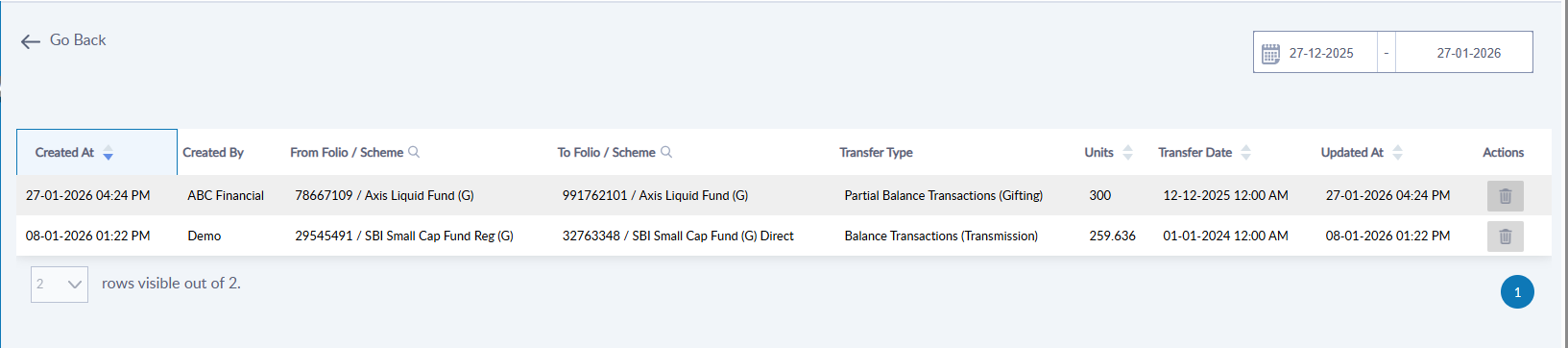
Transmission History
You can view all completed transmissions/Gifting cases by clicking the History button.
Was this article helpful?
That’s Great!
Thank you for your feedback
Sorry! We couldn't be helpful
Thank you for your feedback
Feedback sent
We appreciate your effort and will try to fix the article