Step 1: Register your domain on the Google reCAPTCHA console
Go to the Google reCAPTCHA admin console.
Sign in with your Gmail account.
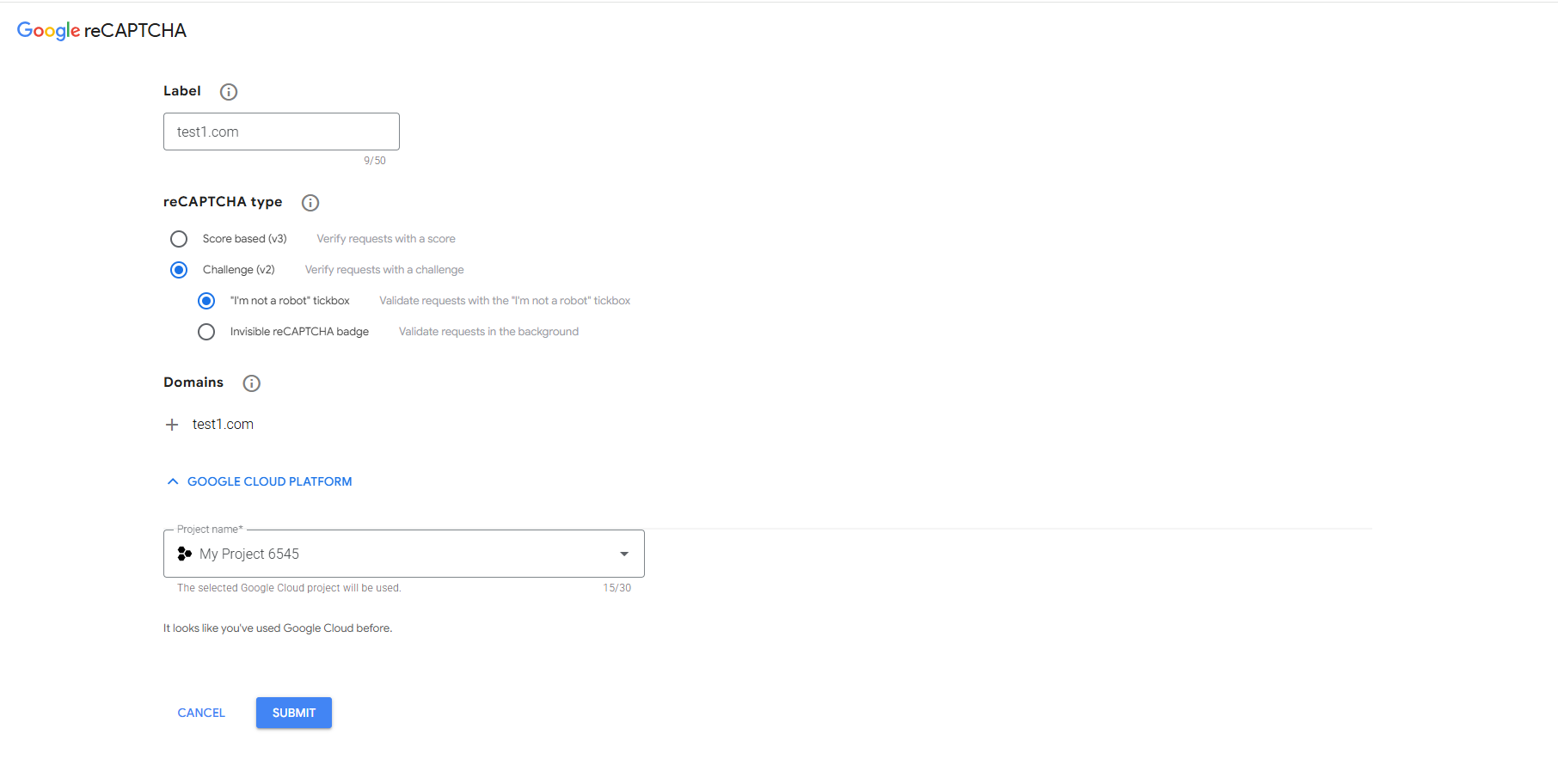
Fill in the registration form:
Label: Enter a name to identify this registration (e.g., your company/domain name).
reCAPTCHA type: Select reCAPTCHA v2, then choose the "I'm not a robot" Checkbox option.
Domains: Enter your domain (e.g., yourdomain.com).
Accept the reCAPTCHA Terms of Service.
Click Submit.
Step 2: Get your Site Key and Secret Key
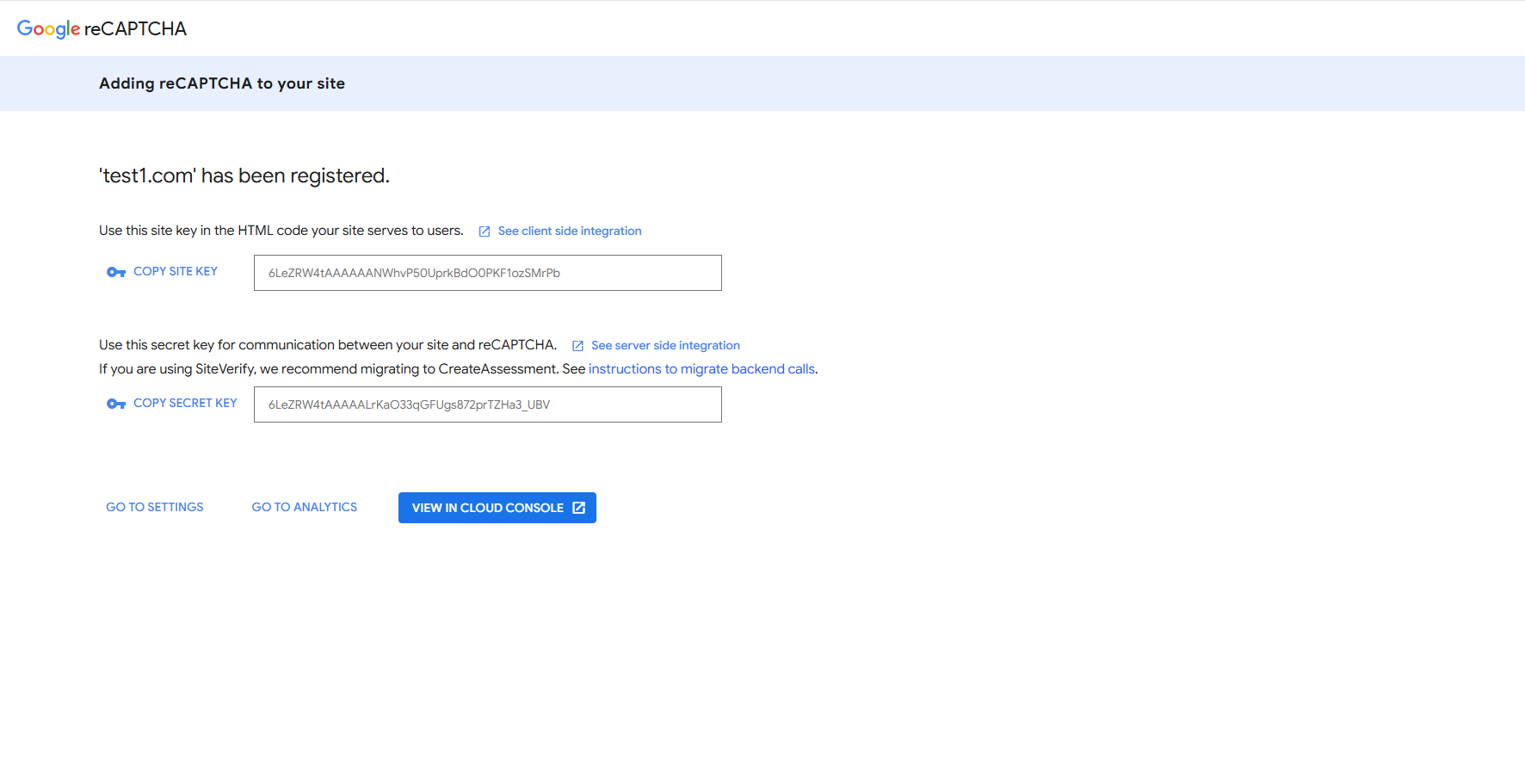
Once submitted, Google will generate two keys on the confirmation page:
Site Key
Secret Key
Step 3: Add the keys to your portal settings
Navigate to your IFA Preferences section.
Enter the Site Key and Secret Key in the fields provided.
Save your changes.
Step 4: Done
Once saved, CAPTCHA and rate limiting protection will be active on your domain.
Was this article helpful?
That’s Great!
Thank you for your feedback
Sorry! We couldn't be helpful
Thank you for your feedback
Feedback sent
We appreciate your effort and will try to fix the article