Portfolio Summary Report gives a brief overview of an investor’s investments across various asset classes—such as mutual funds, shares, bonds, fixed deposits, and other assets—as of a specific date range. It helps users view and analyze investment details and performance within a selected time frame.
Access this report
As an Investor - Investwell Portal > Report Section > Portfolio Summary
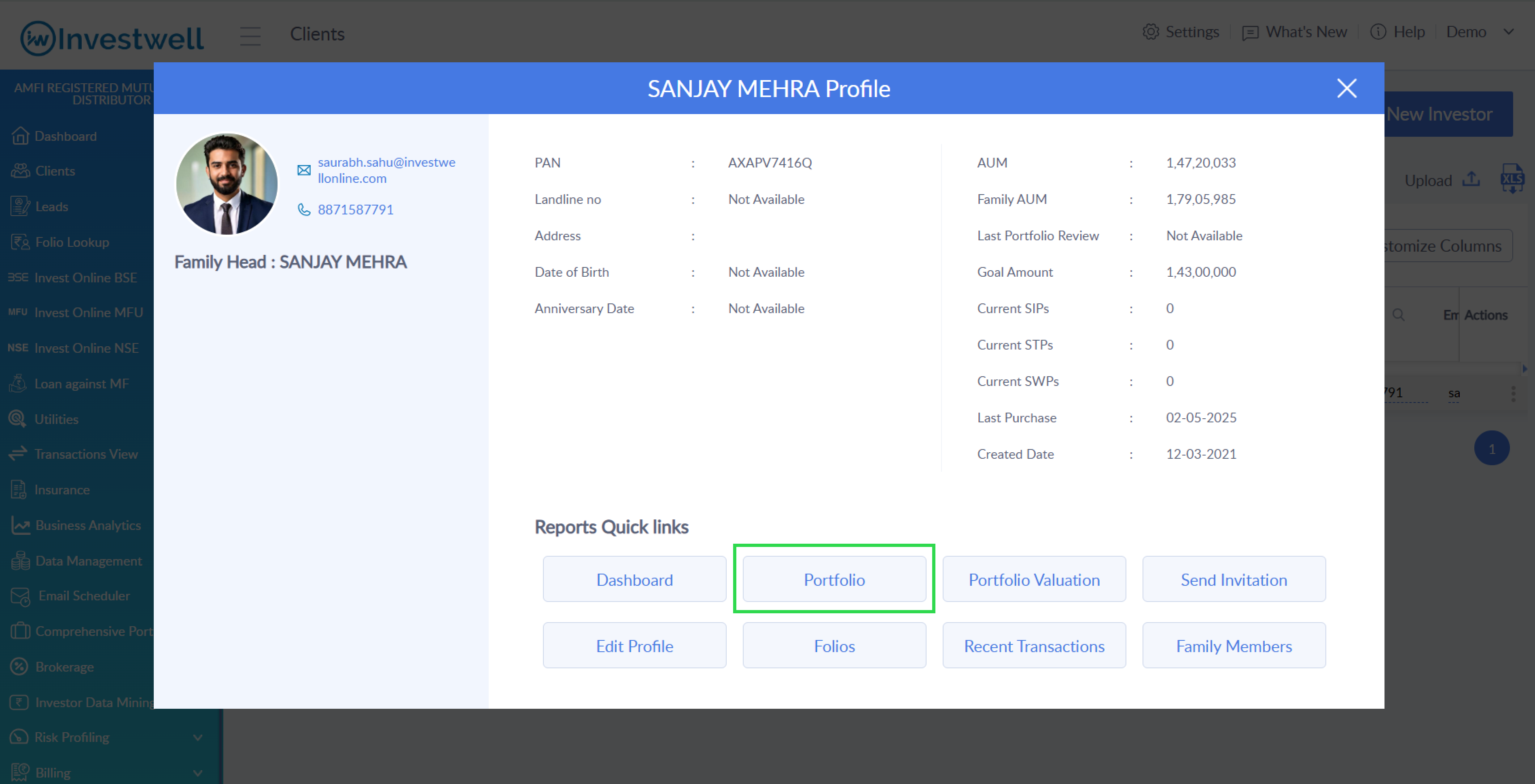
As an MFD/RIA - Investwell Portal > Clients > Click on client name > Client Summary Profile > Portfolio
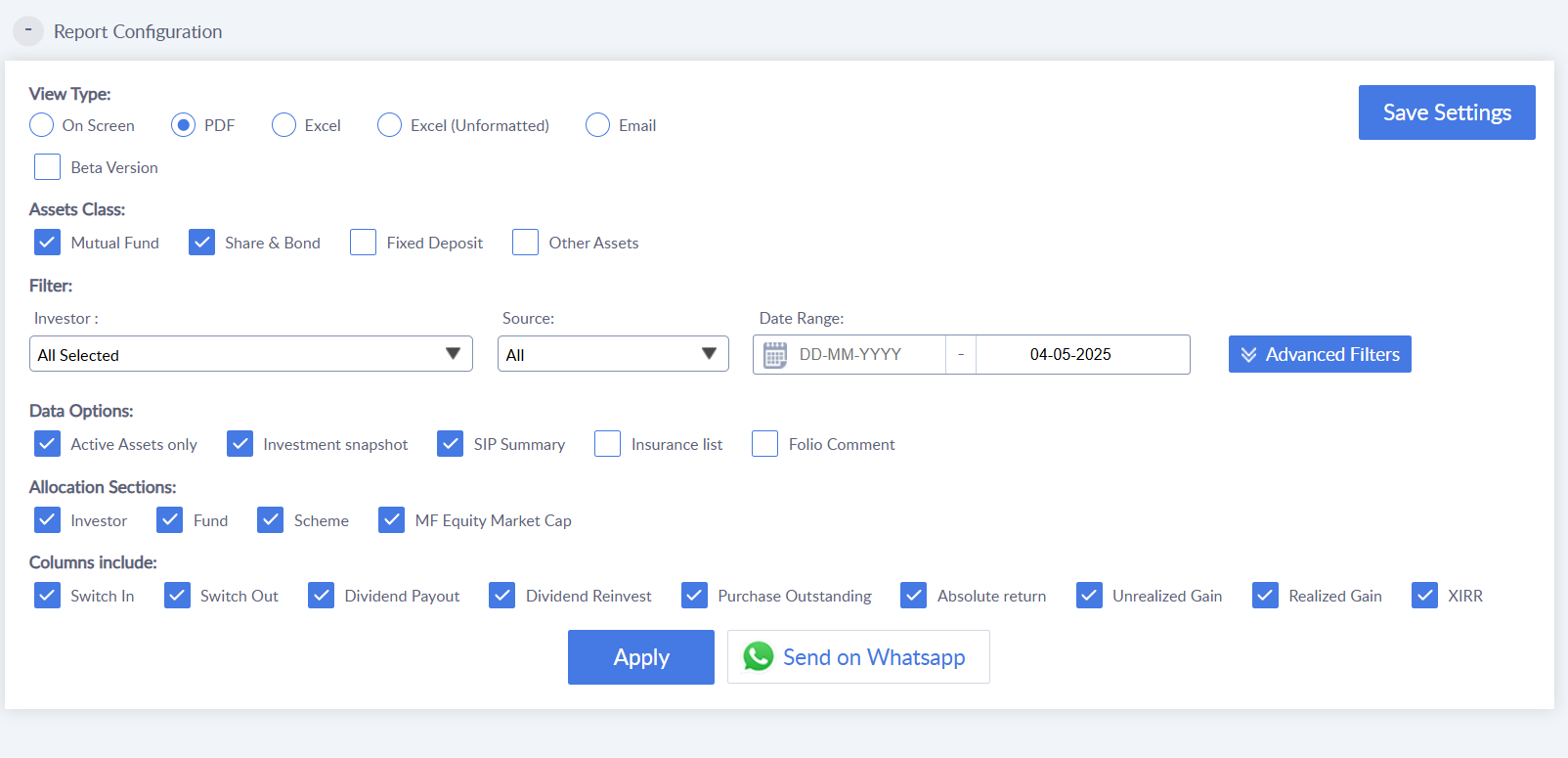
Report Configuration
Use this section to customize your Portfolio Summary Report based on your preferences. Choose the view type (On-Screen, Excel, PDF, or Email), select the asset class, and define how you want the data to be filtered. Many more preferences are available based on the selected view type for deeper customization.
View Type
Choose how you'd like to access or share the report: view it on-screen, download as PDF or Excel, or send it via email.
Assets Class
Select the types of investments to include—Mutual Funds, Shares & Bonds, Fixed Deposits, and Other Assets.
Filter
Narrow your report by selecting an investor, data source, and defining the date range for which the investments should be shown.
Date Range
Specify the reporting period to display data for a selected timeframe, helping you focus on relevant investment details.
Data Options
Include extra insights in your report like current investment snapshot, SIP summary, insurance list, or folio-level comments.
Allocation Sections
Choose how allocation data is structured—by Investor, Fund, Scheme, or Mutual Fund Equity Market Cap.
Columns Include
Select the performance and transaction metrics to be shown, such as Switch In/Out, Dividends, Purchase Outstanding, XIRR, Gains, and Returns.
Advanced Filters
Use this to fine-tune your report further by filtering based on specific asset categories, funds, folios, or other attributes.
Was this article helpful?
That’s Great!
Thank you for your feedback
Sorry! We couldn't be helpful
Thank you for your feedback
Feedback sent
We appreciate your effort and will try to fix the article