External Asset Managers (EAM)
We have introduced the concept of External Asset Managers (EAMs) to help filter assets handled by external managers outside the broker's management.
An EAM can be created by the broker admin and assigned to various asset types such as Mutual Funds (MF), Shares & Bonds (SB), Other Assets (OA), and Fixed Deposits (FD). Assets can then be filtered and reported based on the assigned EAM.
Note: EAMs act as tags to assets and does not have any Login
Creation
Broker Admin users can create External Asset Managers from:
Settings → External Asset Managers
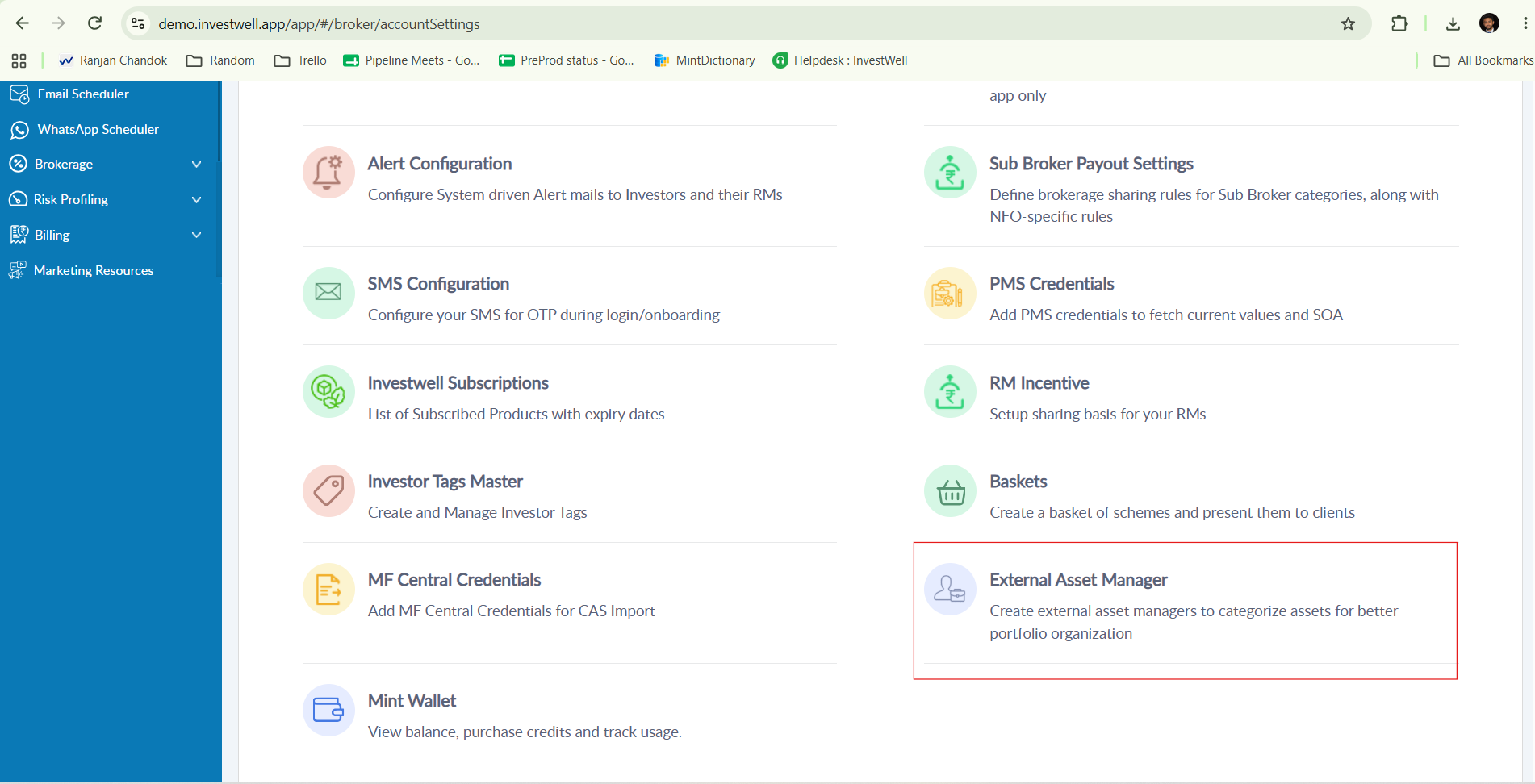
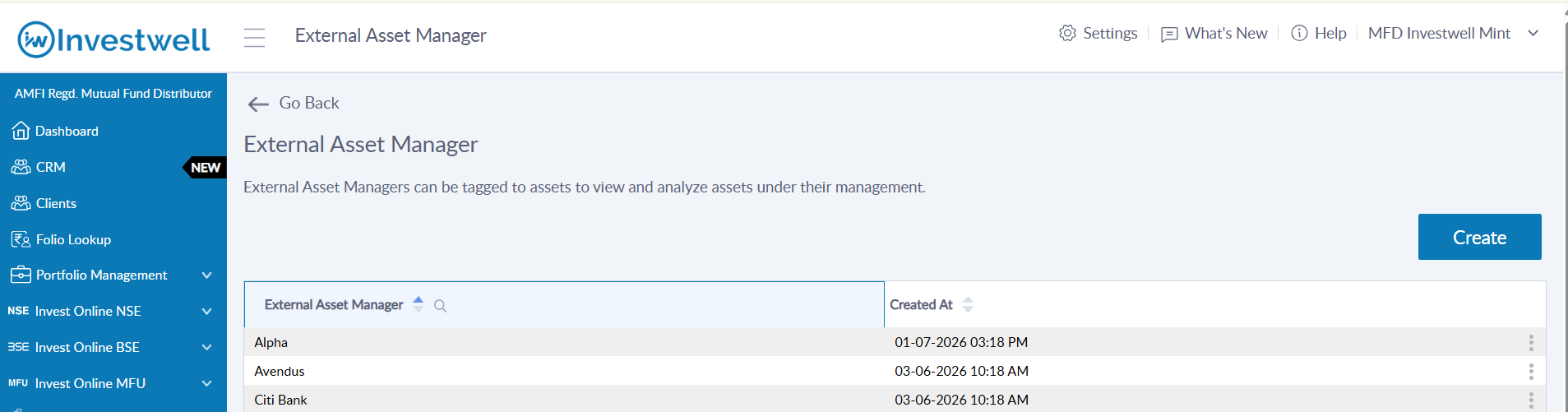
Note: The name of each External Asset Manager must be unique.
Assigning External Asset Managers
Mutual Funds (MF)
EAMs can be assigned at the Folio level.
Path: Folio Lookup → Bulk Action → Assign External Asset Manager
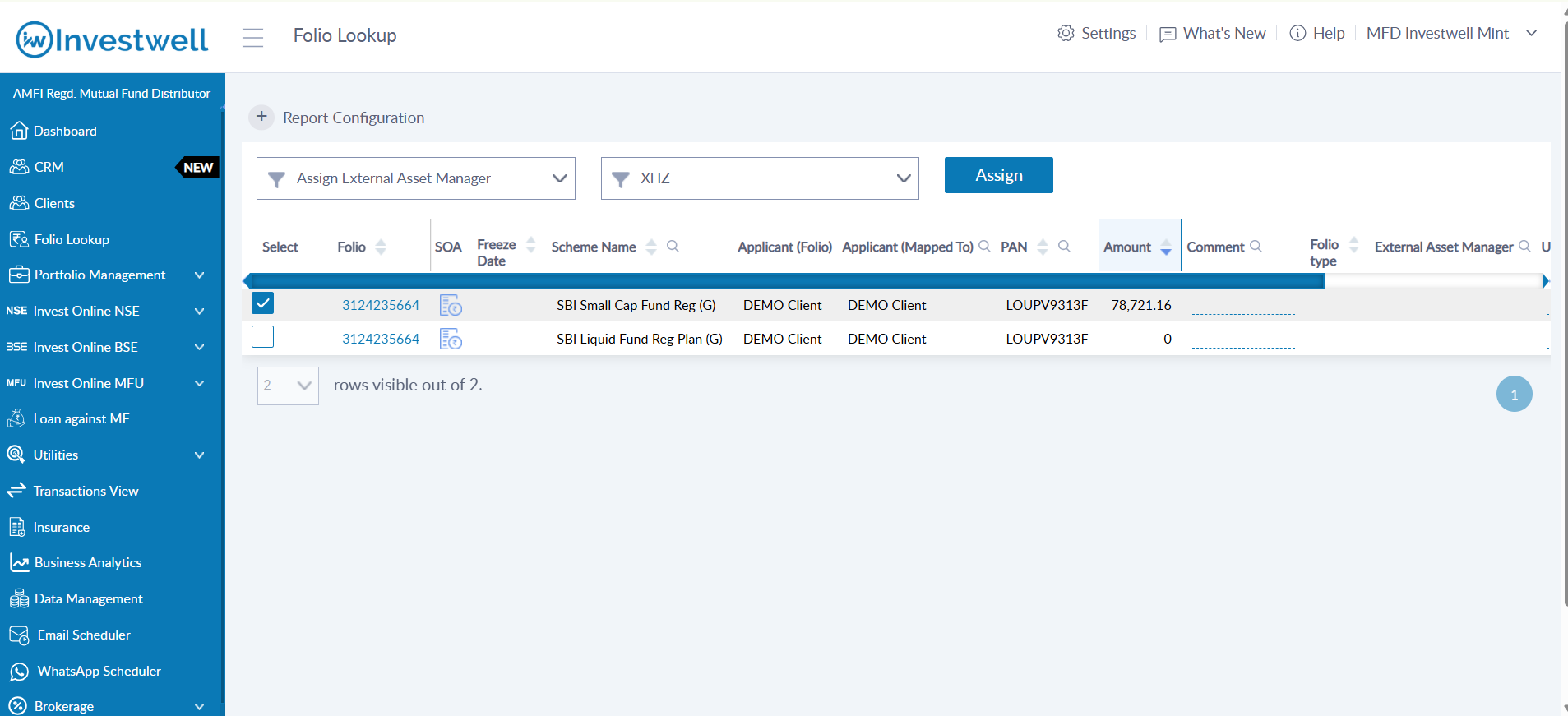
Once assigned:
The EAM will be displayed in a dedicated column in the folio list.
The EAM information will also be visible in the Folio SOA.
Shares & Bonds (SB)
EAMs can be assigned at the SB Folio level.
Path: Data Management → SB → Summary → Bulk Action → Assign External Asset Manager
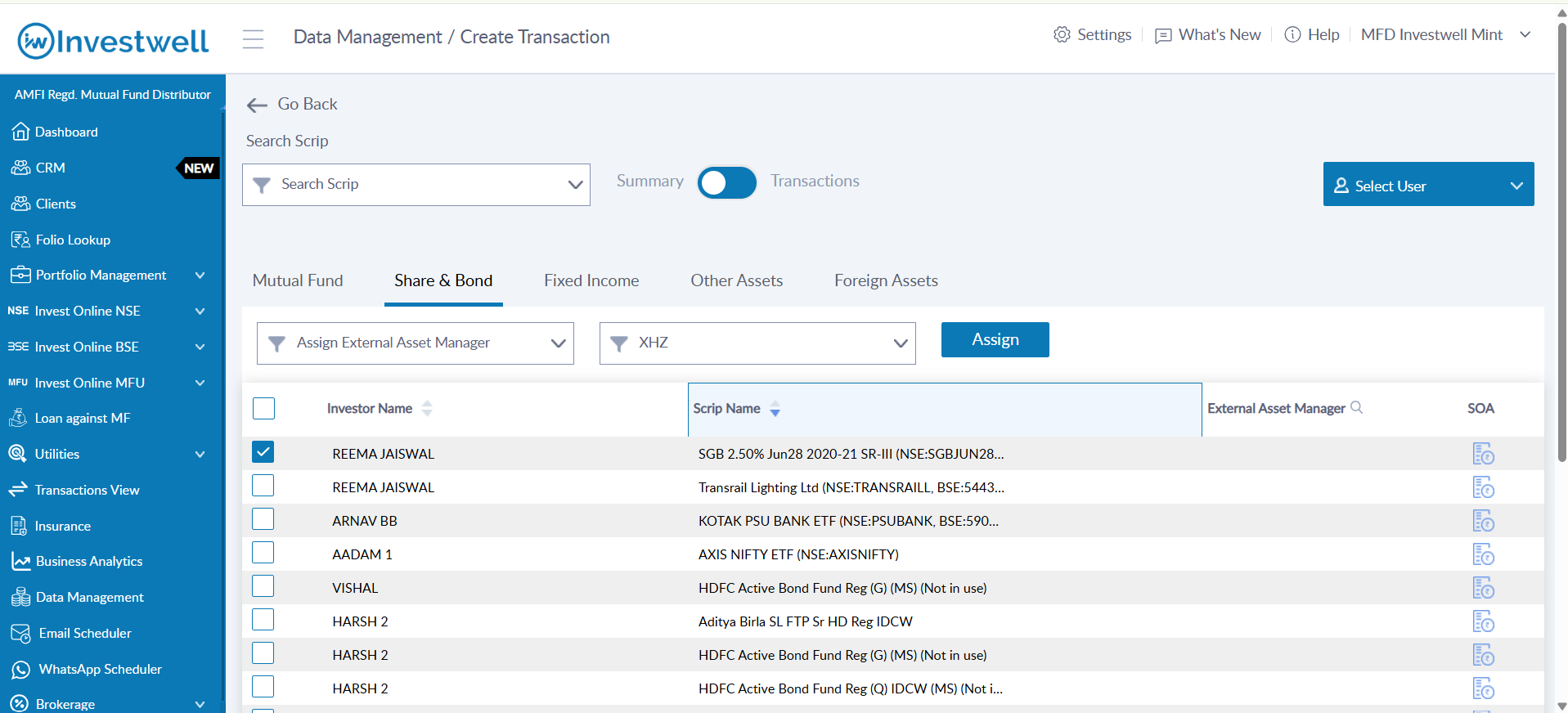
Once assigned:
The EAM will be displayed in a dedicated column in the summary view.
The EAM information will also be visible in the SB Folio SOA.
Fixed Deposits (FD)
EAMs can be assigned to individual FDs.
Path: Data Management → FD → Create/Edit → External Asset Manager
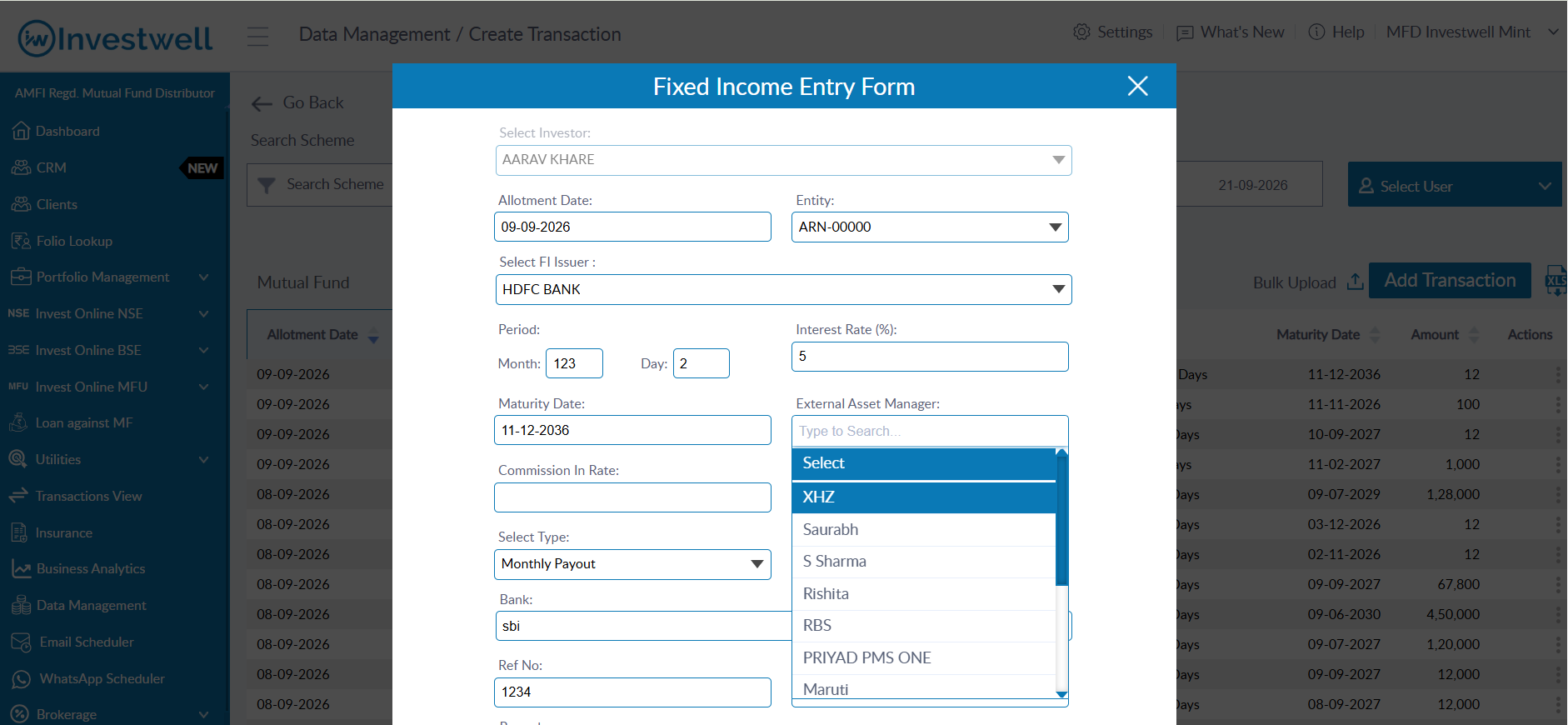
Once assigned:
The EAM will be displayed in a dedicated column in the FD listing.
Other Assets (OA)
EAMs can be assigned to Current Value records.
Path: Data Management → OA → Current Value → Create/Edit → External Asset Manager
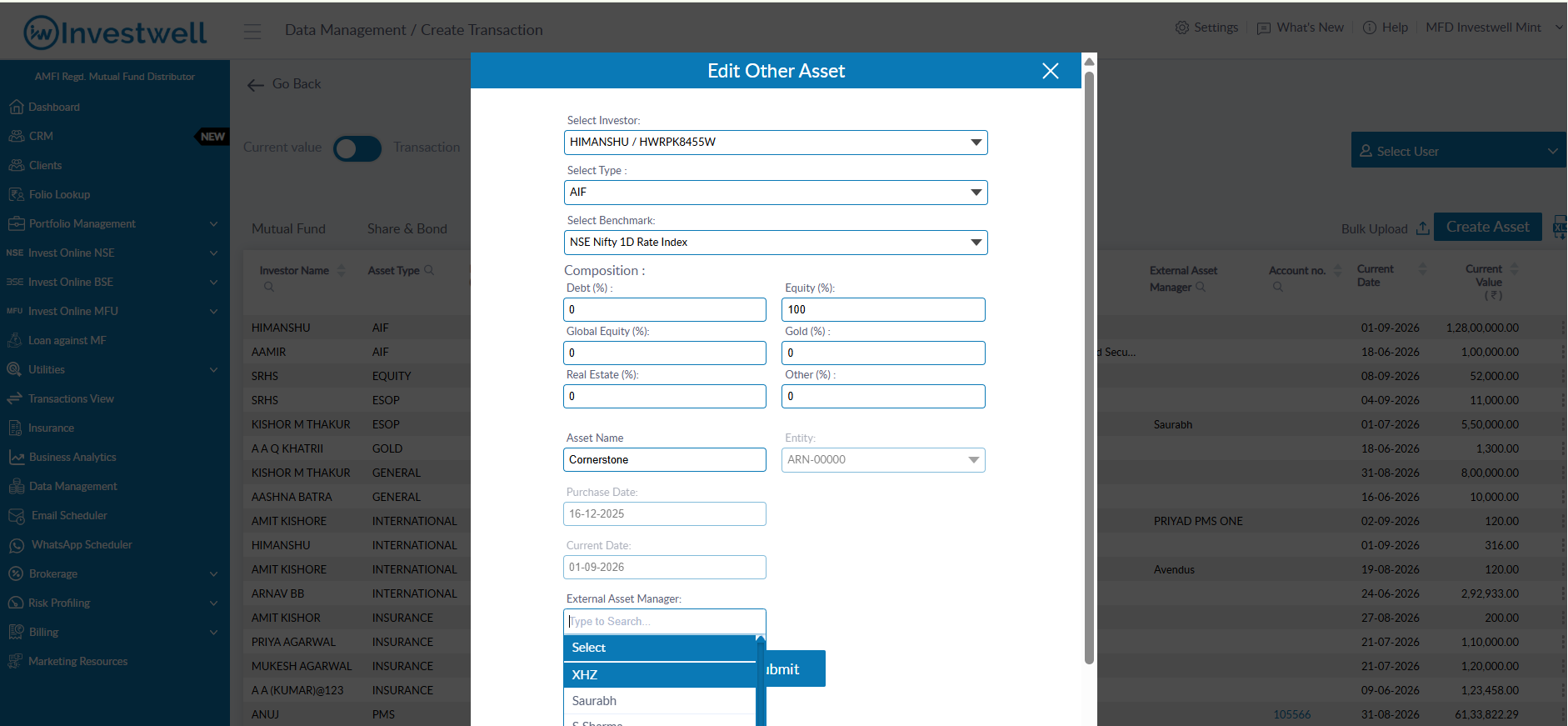
Once assigned:
The EAM will be displayed in a dedicated column in the OA listing.
Note: EAMs can be unassigned from assets whenever required.
Portfolio Reports & Filtering
Assets managed by an External Asset Manager can now be filtered in both Portfolio Valuation and Portfolio Summary reports.
Mutual Funds (MF)
An External Asset Manager filter has been added under Advanced Filters.
When an EAM is selected:
Only folios mapped to the selected EAM will be displayed.
Important: The existing MF Source classification remains unchanged. For example, if a Managed Folio is assigned to an EAM, it will continue to be classified as a Managed Folio.
Shares & Bonds (SB), Fixed Deposits (FD), and Other Assets (OA)
An External Asset Manager filter has been added to the report filters.
When an EAM is selected:
Only assets mapped to the selected EAM will be displayed.
Additionally, a Source filter has been introduced:
Assets mapped to an EAM will be categorized as Outside assets.
Assets not mapped to an EAM will continue to be categorized as Managed assets.
Report Coverage
External Asset Manager handling has been incorporated across:
Portfolio Valuation
Portfolio Summary
The functionality is available across:
On-screen reports
PDF reports
Excel exports
Email reports
Dashboard: The managed assets AUM is shown in the dashboard
Was this article helpful?
That’s Great!
Thank you for your feedback
Sorry! We couldn't be helpful
Thank you for your feedback
Feedback sent
We appreciate your effort and will try to fix the article