CAS file from MF central or CAMS can be imported into Investwell to bring in externally managed mutual fund holdings for review. There are two ways of deleting mutual fund data imported via CAS file.
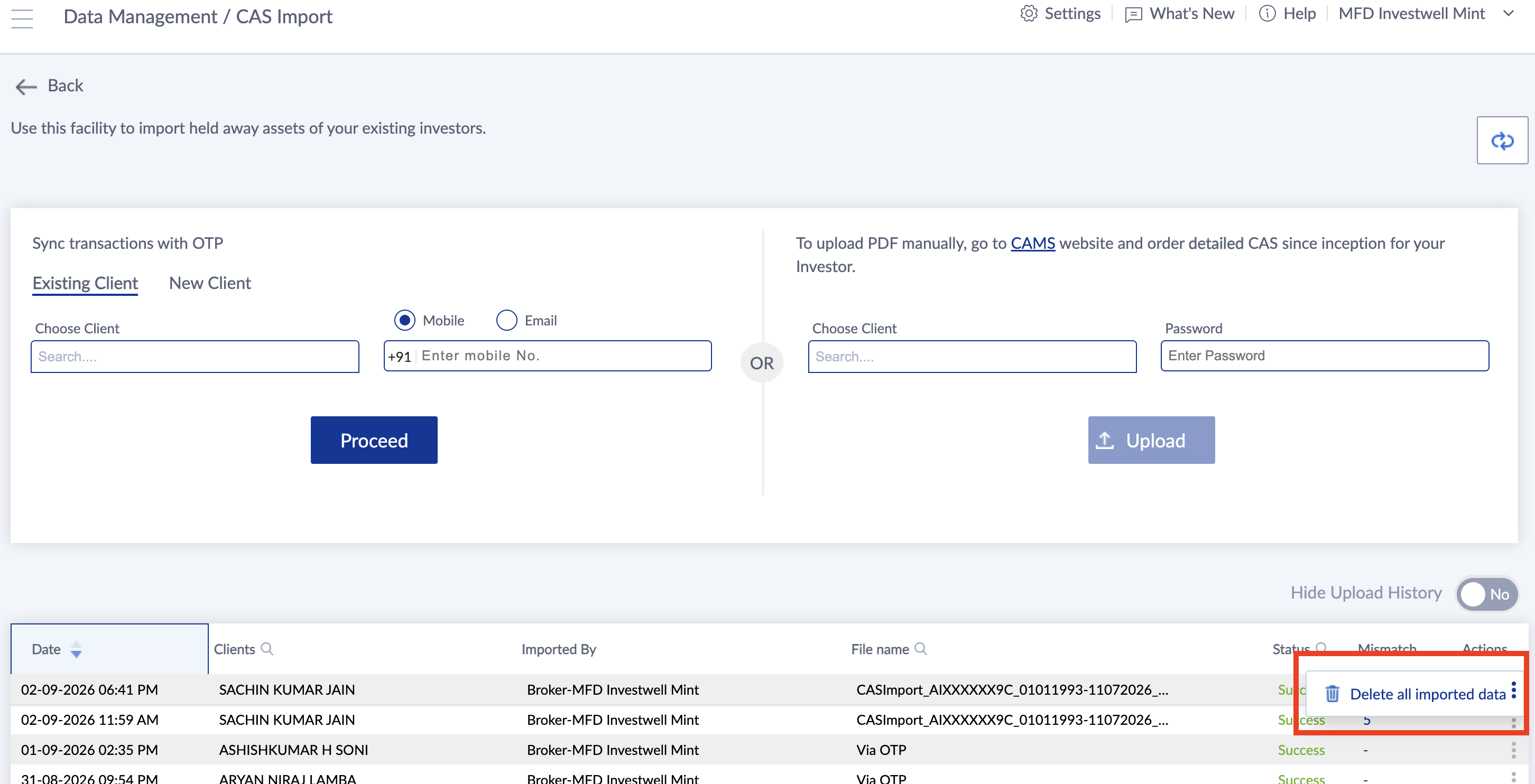
One is that you can find the CAS import logs in Data Management >> CAS import.In the table of the CAS import logs from the actions on the right you can delete the data imported from that CAS file. In this scenario, if you have imported multiple CAS files over a period of time, then you will have to delete all the files because we import the data from the CAS file incrementally.
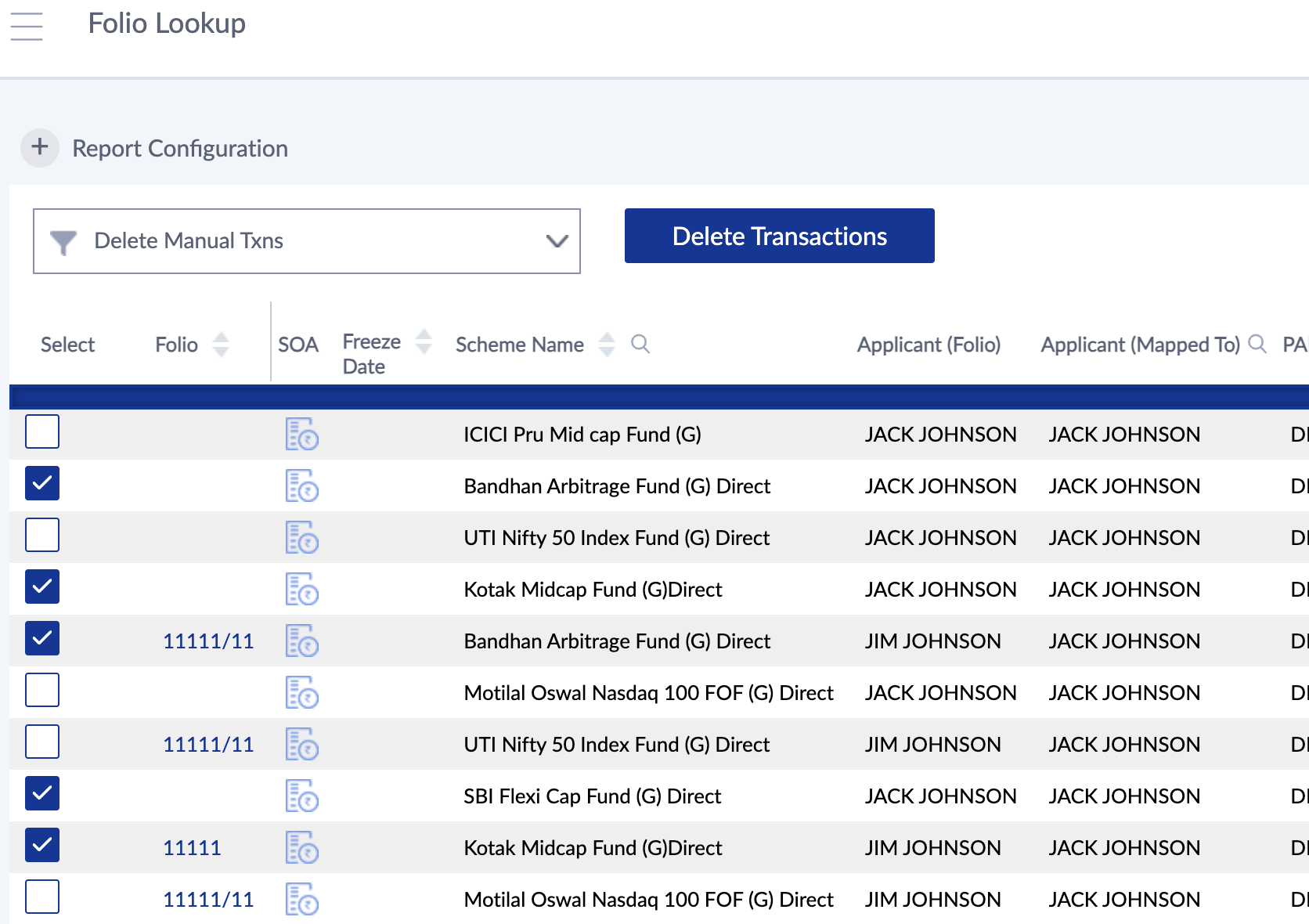
The second way to do it is that you can go to the folio lookup, search for the client and see the folios that he has, and select the folios. Once you select it from the left check box, there will be a delete manual transactions option on the top, which you can select and give a command to delete all manual transactions in the selected folios in bulk.
The scenario where you would want to delete data imported from CAS is when you had imported externally managed funds and now you have done a change of broker into your ARN code. In that case, the data would get duplicated after change of broker. It is imperative that you delete the earlier data imported from the CAS file.
Was this article helpful?
That’s Great!
Thank you for your feedback
Sorry! We couldn't be helpful
Thank you for your feedback
Feedback sent
We appreciate your effort and will try to fix the article