
Client Summary profile - Escalation Matrix
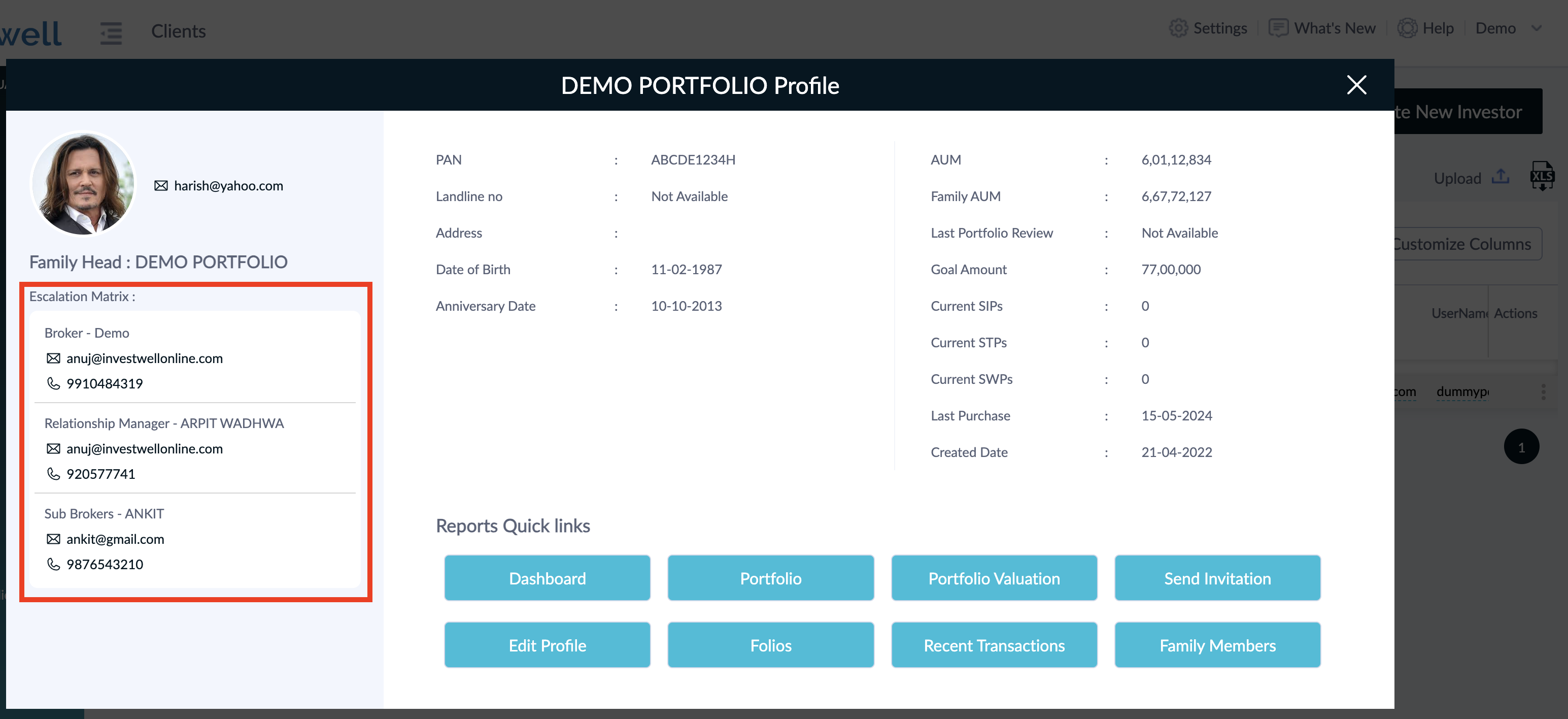
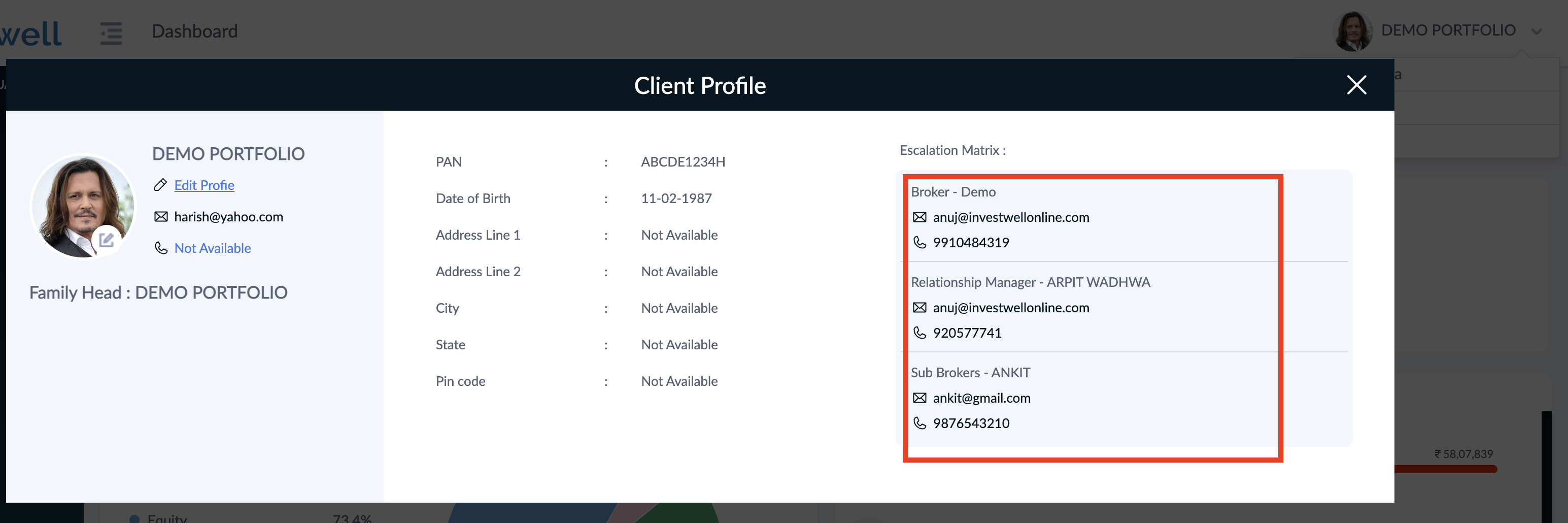
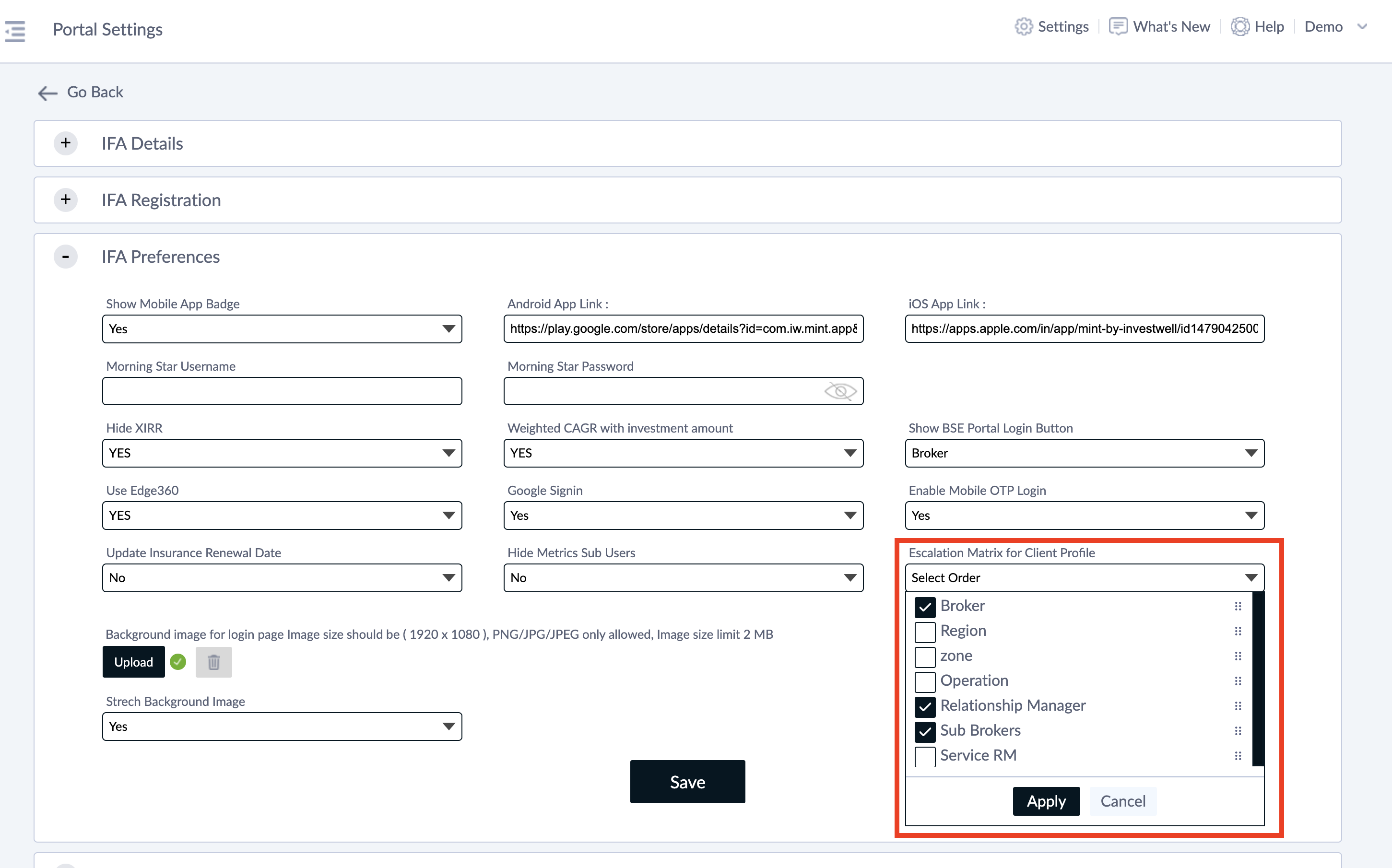
Escalation matrix is shown on the left hand side below the client profile picture. It displays the advisor company hierarchy that is currently assigned to the Investor. The same is visible on the Investor portal as well when user clicks on Edit Profile from top right corner. You can customize the order in which this hierarchy is presented to all clients. This can be done from Settings >> Portal Settings >> IFA Preferences tab. You can also remove certain levels to be shown in the escalation matrix. To change the name of the Levels that are being shown here, please raise a ticket to our Support helpdesk (support@investwellonline.com) Thank you
Images in the original article (original Freshdesk URLs, not re-hosted — TODO: download & re-host):
Was this article helpful?
Still stuck? Email support@investwellonline.com.